Client engagement in Nkapio isn't a single screen — it's a few everyday tools that, used together, turn one-off visitors into regulars. This guide ties them together; each links to its own how-to. Owners and front-desk staff use these day to day; nothing here needs a marketing tool or an extra subscription.
Start with a clean client database
Everything begins with knowing your clients. Under Clients, every customer has a record with their contact details and history in one place. Good records — a correct phone number, an email, a note about their preferences — are what make every follow-up and message land.
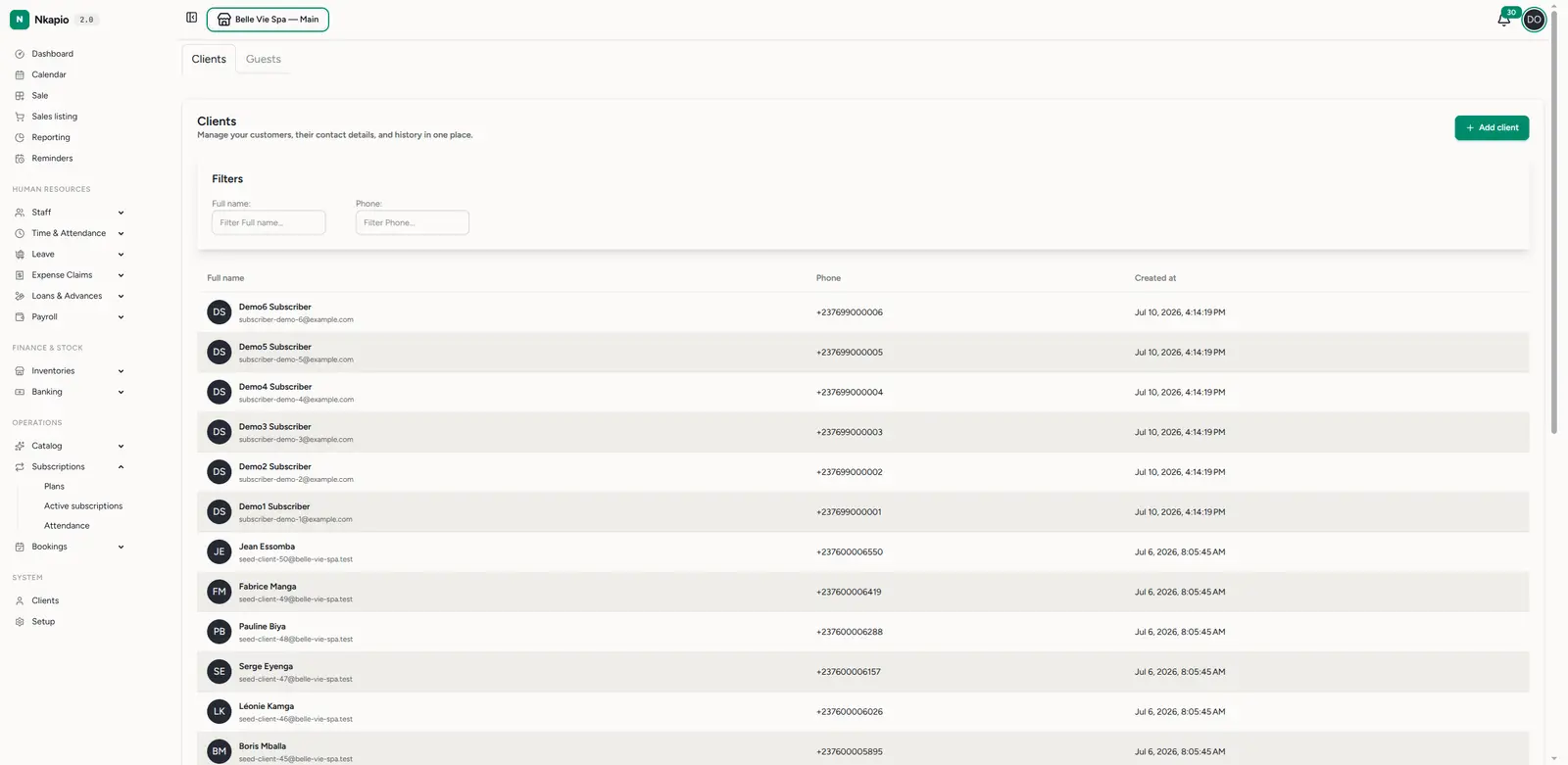
Keep the list healthy: add clients as they come in, and use the Full name and Phone column filters to find anyone fast. Each client's record links back to their past bookings, so you can see at a glance who's a regular and who's overdue for a visit.
Follow up at the right moment
The single biggest driver of repeat business is a timely follow-up — a call after a treatment, a nudge before a re-booking is due, a check-in with a client who hasn't been in for a while. Nkapio gives you two ways to do this:
- Reminders — create a one-off or recurring reminder with a title, a date and time, and a priority, so a task never slips. Use these for anything you want to do by hand.
- Follow-up rules — set an automatic follow-up that fires a fixed number of days after a service is delivered (for example, "Book your 6-month checkup" sent 180 days after completion). Set the rule once and it runs on every future booking of that service.
→ Set reminders and follow-ups
Close the loop on feedback
Clients who feel heard come back. Nkapio asks for feedback automatically: about a day after a booking is marked completed, the client is invited by email to leave a star rating (1–5) and a comment. You'll see new reviews in your in-app feed as they arrive.
When a review comes in, reply to it — thank the happy ones, address the unhappy ones. You can also hide a review from public display if it's inappropriate. Reviews the client consented to show, and that you've kept visible, feed the average rating shown on your public storefront — so replies and tidy feedback aren't just internal, they're something future clients can see.
Reviews are also your early warning system: a dip in ratings on one service or staff member is a signal to look closer.
→ Manage and reply to client reviews
Make re-booking effortless
The easier it is to book again, the more often clients do. From a service's page, open the Public booking card to copy the booking link or show its QR code. Share the link in a message, or print the QR at your counter, so clients can re-book themselves without a phone call.
Before you start
- A client needs a valid email to receive review requests, and a phone number for calls and messages — so complete records pay off directly here.
- Review requests only go out after a booking is completed; cancelled or refunded bookings are skipped, and a client who already reviewed won't be asked again.
Tips
- Consistency beats intensity — a steady habit of small follow-ups outperforms occasional big campaigns.
- Use the data you already have — booking history and reviews tell you who to re-engage and when.
- Reply to every review — public, thoughtful replies are engagement that future clients can see.
- Let the rules do the routine — automate the predictable follow-ups so you can spend your attention on the personal ones.
FAQ
When is a client asked for a review? Automatically, about 24 hours after their booking is marked completed. There's nothing to send by hand.
Can I stop a bad review from showing publicly? Yes — hide it. Hidden reviews stay in your records but don't appear on the storefront or count toward your average rating.
Do follow-up rules replace reminders? No. Rules handle the repeatable "X days after this service" nudges; reminders are for the one-off, personal follow-ups you schedule yourself.