If you sell drinks in returnable bottles and crates, the point of sale
handles the whole deposit (consigné) cycle for you: it charges a deposit when
a consigned product goes out, takes empties back for a refund when they come in,
and nets the two at checkout. This is the distribution flow — turn on
Returnable packaging (the inventory.packaging feature) and it appears in the
POS at Sale → New. Deposit lines only appear for drinks whose packaging is
set up — a bottle, plus a crate if you sell by the crate. The stock and policy
side is covered in Returnable packaging;
this guide is the counter.
Selling a consigned product (deposit charged)
Add a drink to the cart as usual. Because it's lot-tracked for freshness, a lot picker appears — enter how many units you're selling from each dated lot (oldest-first / FEFO) and confirm. As soon as the drink is in the cart, Nkapio adds a Deposit (auto) line for its bottle — and a crate deposit if you're selling by the crate. You don't add these by hand; they follow the product. Need to override a count — a broken crate, say? Use the − / + on the deposit line or remove it; Nkapio flags it Edited and stops re-syncing that line to the drink's quantity.
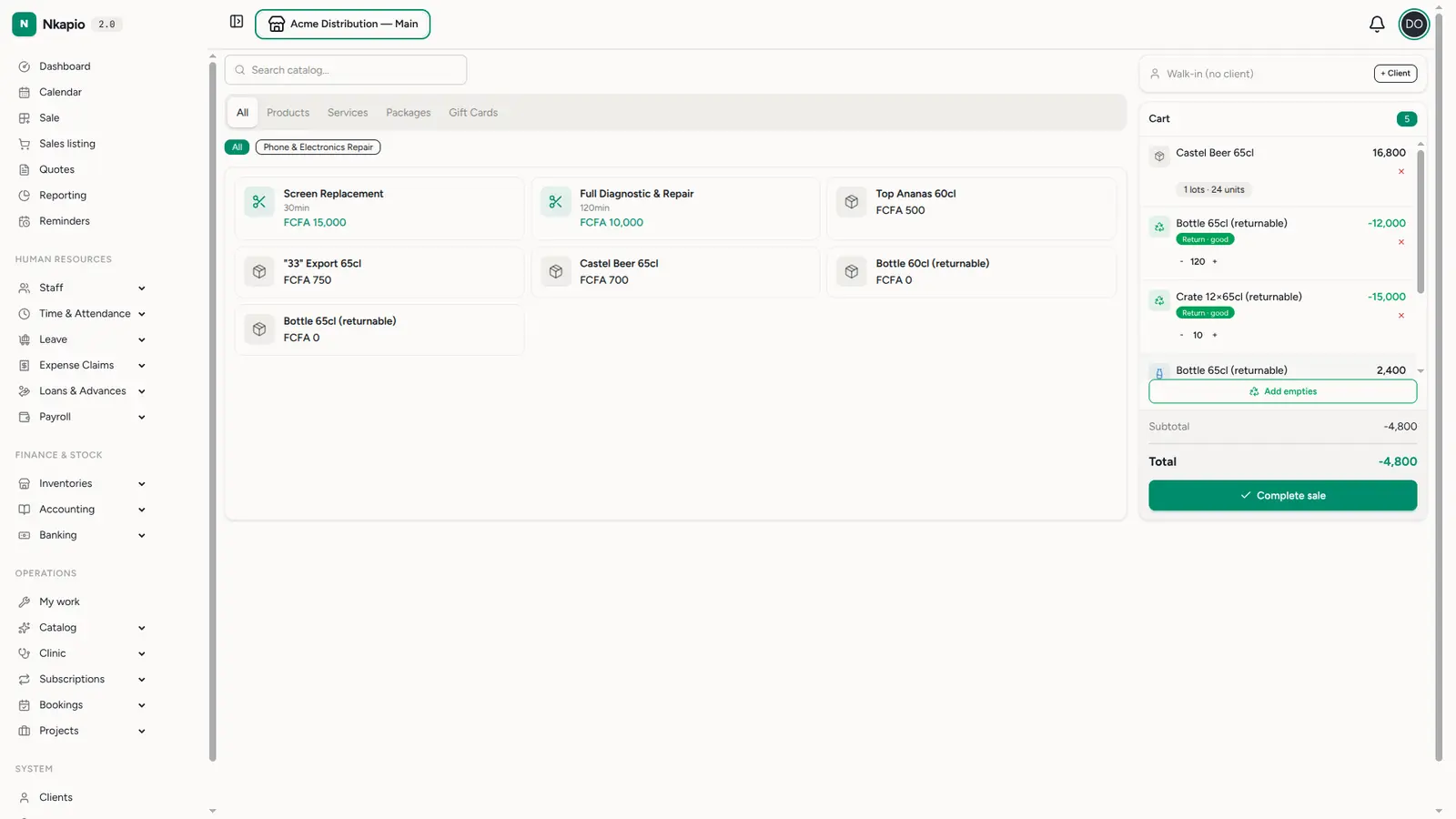
In the example the cart holds 24 units of a beer (FCFA 16,800) plus its automatic deposits — FCFA 2,400 for 24 bottles and FCFA 3,000 for the crates — alongside returned empties (the negative lines below).
Taking empties back (deposit refunded)
Click Add empties to open the intake picker. Pick each returnable item, then count how many come back per condition — Good, Broken, or Wrong brand. Good empties earn the full deposit refund; damaged or foreign returns are counted separately so you can apply your policy. Click Add to cart and each return becomes a negative (refund) line.
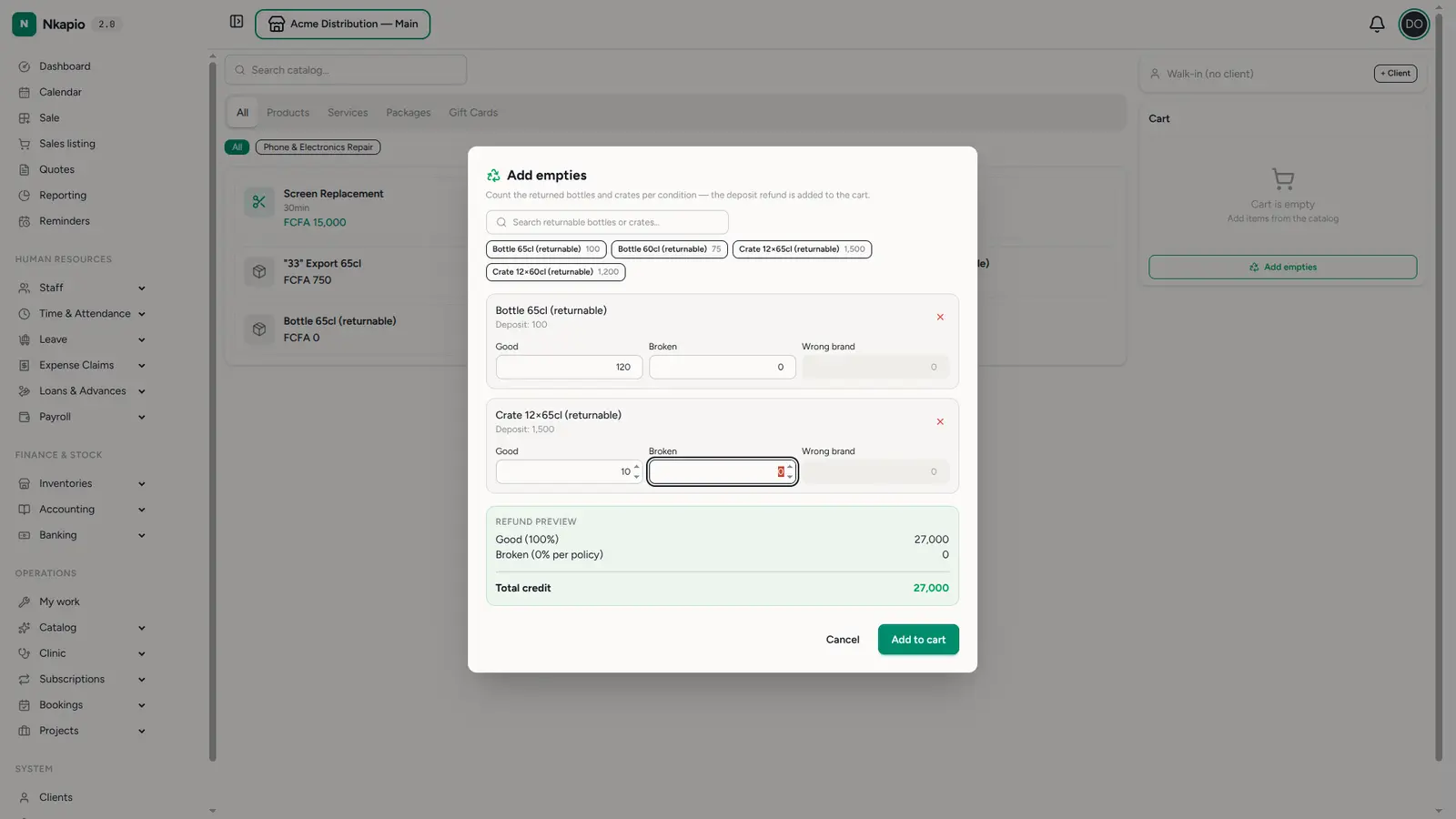
Checkout — deposits and empties net out
At checkout the sale and the deposits are itemised together: the drinks and their deposit charges as positives, the returned empties as negatives. Nkapio computes the single figure that matters:
- If the customer owes money, that's the amount due — collect it as usual.
- If empties outweigh the purchase, there's a net refund — pay it out as a cash refund, or apply it as store credit when the sale is tied to a client.
The refund panel appears only on a products-only sale that nets negative. A cash refund needs the store to have an account configured; store credit needs a client selected on the sale. Settling either way requires refund permission — if the buttons don't show, ask an owner or manager to grant it.
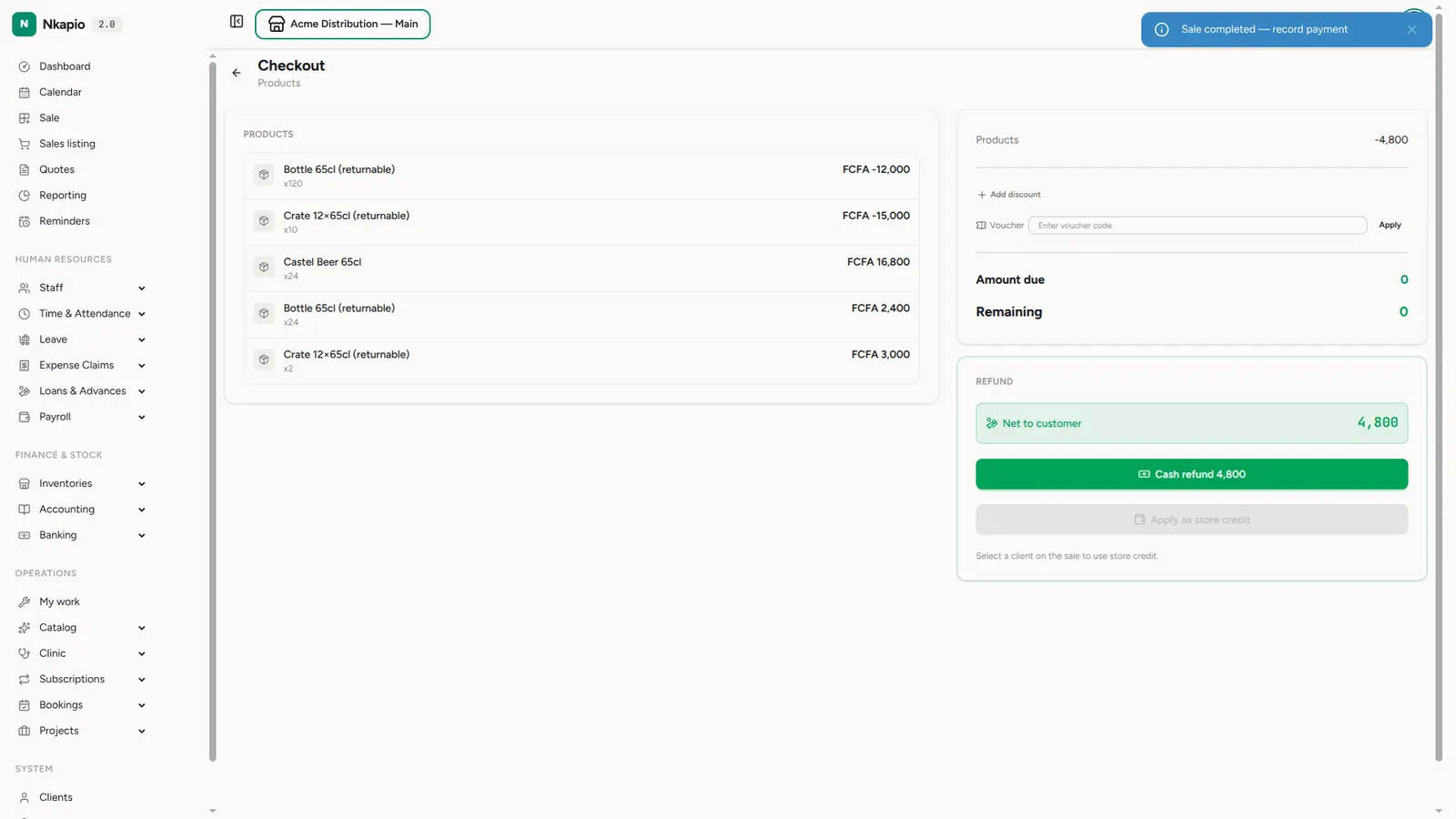
Tips & common questions
- Where do the deposit amounts come from? Your packaging policy sets the deposit per bottle and per crate — see Returnable packaging.
- Do I ever type a deposit line? No — deposit charges are added automatically with the product; empties are added through the Add empties picker.
- What about broken or wrong-brand returns? Good empties refund the full deposit; broken and wrong-brand returns refund the percentage your policy sets — 0% by default — and wrong-brand empties are only accepted if your policy allows them. Either way the pools are counted separately so stock stays accurate.
- Can I take back more empties than I sold? Yes — the picker isn't tied to this sale, so you can accept returns from earlier purchases. When they outweigh the cart, the sale settles as a net refund rather than an amount due.
- Can I change an auto deposit line? Yes — adjust its quantity or remove it. It's marked Edited and no longer follows the drink's quantity.
- Prerequisite: the Returnable packaging (
inventory.packaging) feature must be on, and the drink must have its packaging set up, for the deposit line and the Add empties button to appear.