Les notes cliniques et les signes vitaux constituent le journal continu de ce qui s'est passé à chaque consultation — ce que le patient a rapporté, ce que vous avez observé, ce que vous avez conclu et ce que vous prévoyez ensuite. Les cliniciens les rédigent pendant ou juste après une visite, et l'équipe soignante les consulte pour rester alignée sur la prise en charge du patient. Les deux se trouvent dans l'espace de travail clinique du patient — ouvrez un patient depuis Clinique → Patients, puis utilisez les onglets Notes et Signes vitaux.
Notes cliniques
L'onglet Notes liste chaque note par date de consultation, avec son statut (brouillon, signée ou complétée), sa visibilité (par exemple équipe soignante) et son auteur. Cliquez sur Voir pour en ouvrir une, ou sur Nouvelle note pour en rédiger une autre.
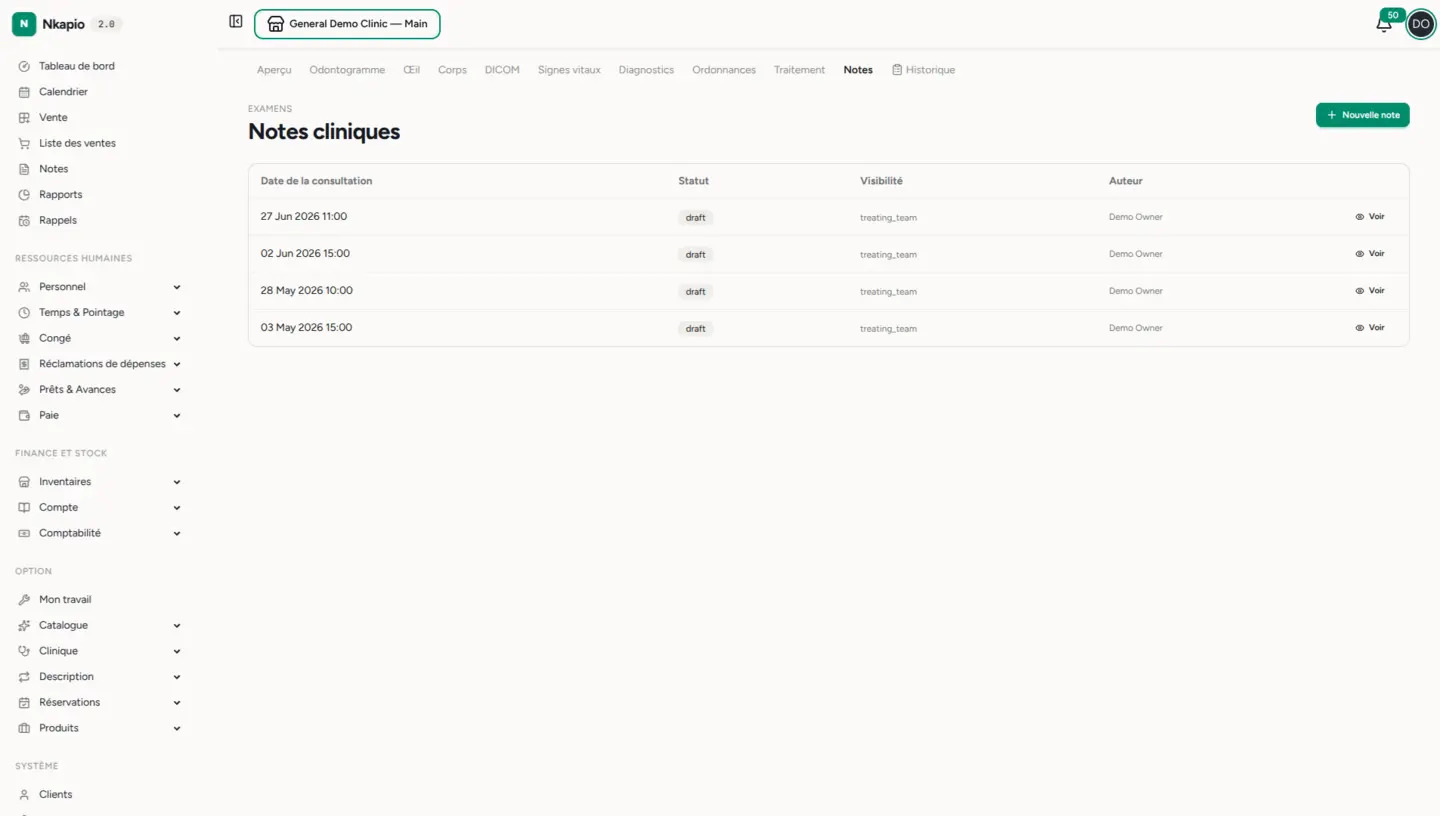
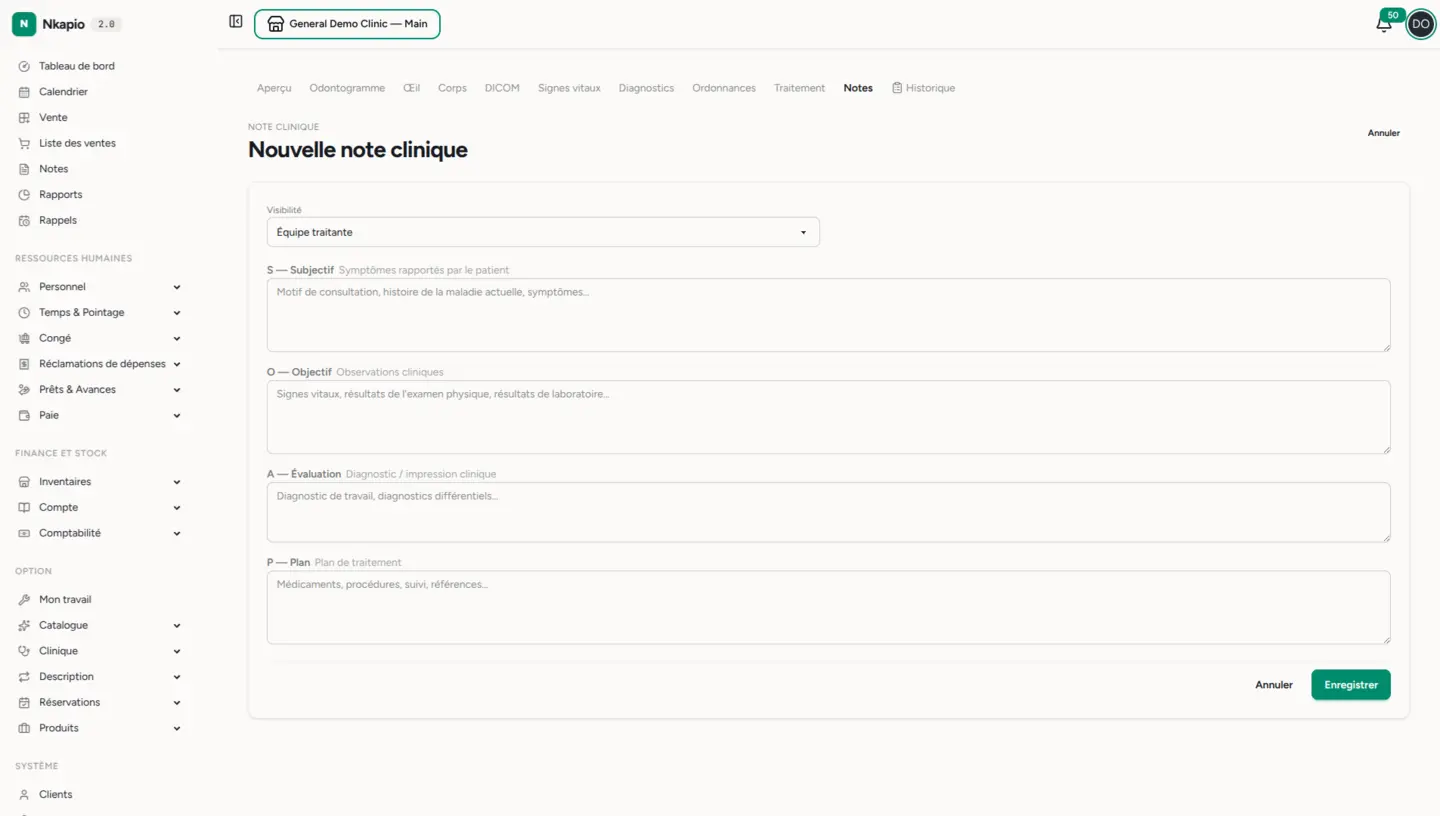
La structure SOAP
Une note suit la structure SOAP habituelle — quatre sections qui vont du récit du patient jusqu'à votre plan :
- S — Subjectif : ce que le patient rapporte (motif de consultation, histoire de la maladie actuelle, symptômes).
- O — Objectif : ce que vous mesurez et observez (signes vitaux, résultats de l'examen clinique, analyses).
- A — Appréciation : votre impression clinique (diagnostic de travail, diagnostics différentiels).
- P — Plan : la suite (médicaments, procédures, suivi, orientations).
Chaque section est facultative : une brève note infirmière et une consultation complète utilisent le même formulaire. Vous choisissez aussi qui peut consulter la note avant d'enregistrer.
Du brouillon à la note signée
Une nouvelle note commence comme brouillon, qui reste entièrement modifiable — tant que vous êtes sur l'écran d'édition, elle s'enregistre même automatiquement toutes les 30 secondes, afin de ne rien perdre du travail en cours. Lorsque la note est complète, Signer la note la scelle dans le dossier et horodate la signature. La signature est un geste réfléchi : une note signée devient une pièce permanente du dossier médical, aussi Nkapio la verrouille contre toute modification ultérieure afin de préserver un compte rendu fidèle de ce qui était connu et décidé à ce moment-là.
Corriger une note signée par des addendums
Comme une note signée ne peut plus être modifiée, les corrections ou les informations nouvelles s'ajoutent sous forme d'addendums — de courtes entrées datées qui apparaissent sous la note d'origine. L'ajout du premier addendum fait passer le statut de la note à complétée. Les addendums sont en ajout seul : ils ne peuvent eux-mêmes être ni modifiés ni supprimés, de sorte que la trace de qui a changé quoi, et quand, reste toujours intacte.
Qui peut voir une note
La visibilité se définit sur chaque note :
- Équipe soignante / Tous les cliniciens — tout collègue ayant accès aux dossiers cliniques du patient peut lire la note.
- Auteur uniquement — la note est réservée à vous-même et au personnel disposant de l'accès aux dossiers confidentiels.
Utilisez Auteur uniquement pour les entrées sensibles ; la valeur par défaut, Équipe soignante, maintient une prise en charge coordonnée entre les personnes qui s'occupent du patient.
Signes vitaux
L'onglet Signes vitaux conserve un tableau daté des relevés, les plus récents en premier — tension, pouls, température, SpO₂, fréquence respiratoire, poids, taille et l'IMC calculé à partir de ces valeurs. Utilisez Enregistrer les signes vitaux pour ajouter une série à chaque visite.
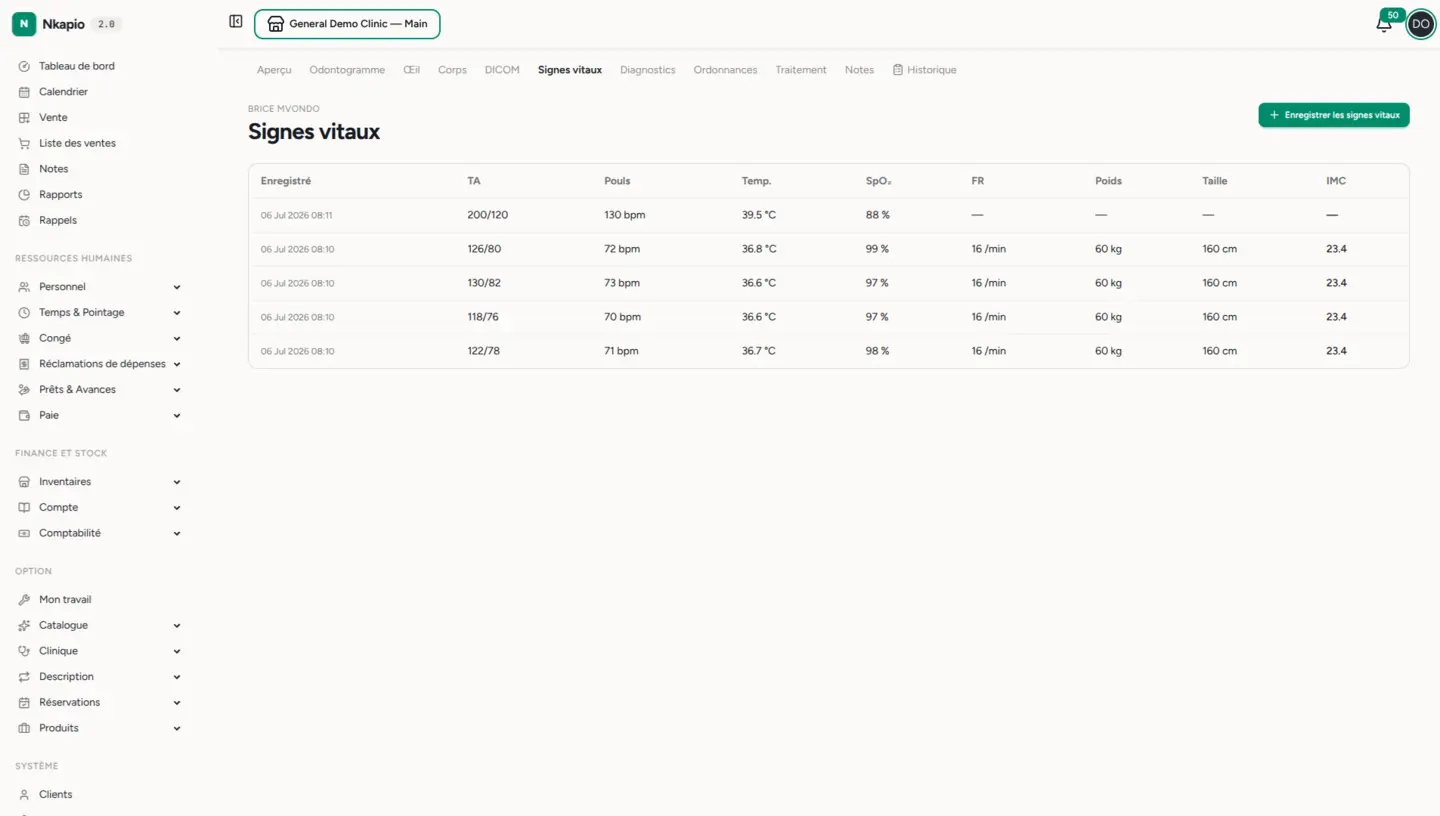
Chaque champ est facultatif : enregistrez ce que la visite requiert. L'IMC est calculé automatiquement à partir du poids et de la taille (poids en kilogrammes divisé par la taille en mètres au carré) et affiché arrondi à une décimale — il n'apparaît qu'une fois le poids et la taille renseignés. Vous pouvez aussi consigner un score de douleur (0–10) et une note en texte libre avec chaque relevé. Chaque relevé est horodaté à l'instant de l'enregistrement, et la dernière valeur de chaque mesure est mise en avant sur le dossier du patient pour un aperçu d'un coup d'œil.
Conseils
- Utilisez la section Objectif d'une note pour résumer les signes vitaux et les résultats d'examen qui appuient votre appréciation.
- Besoin d'une copie papier ? Ouvrez une note signée et utilisez Imprimer — la mise en page se réduit à une feuille A4 nette.
- Les notes et les signes vitaux nécessitent le module clinique activé et les permissions correspondantes ; les notes confidentielles (auteur uniquement) exigent la permission supplémentaire d'accès aux dossiers confidentiels.