Departments and positions are the scaffolding of your org chart. Set them up once and every staff record slots into a department (which team the person belongs to) and a position (their job title and level). Together they give structure to your people data and a salary band to guide pay. Both live under Human Resources → Staff and are normally managed by an owner, HR manager or anyone whose role grants HR access.
Departments
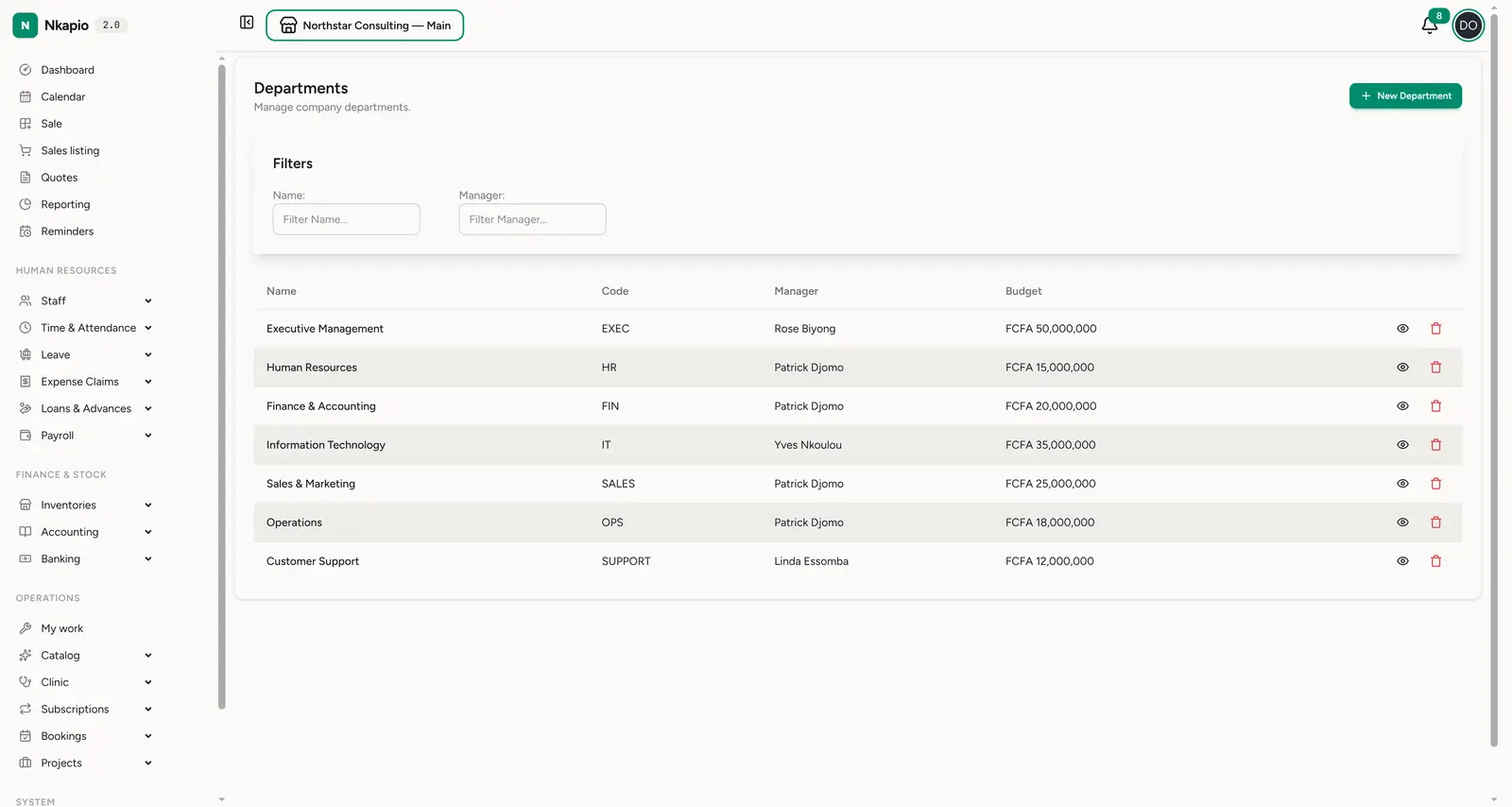
Staff → Departments (/staff/departments) manages your company departments —
for example Executive Management, Finance & Accounting, IT, Sales & Marketing,
Operations and Customer Support. The list shows each department's name,
code, head and budget; sort by name, code or budget, and filter by
name or manager to find one quickly.
Use New Department to add one. Each department records:
- Name and code — the code must be unique across your departments and is handy as a short reference in reports and lists.
- Description — an optional note about what the team does.
- Cost centre code — an optional accounting reference so the department lines up with how you track costs in your books.
- Budget — an amount (in your base currency) allocated to the team. It must be a positive figure when you first create the department.
- Parent department — optional. Point a department at a parent to nest it inside a larger one and build a multi-level hierarchy (for example a "Payroll" team under "Finance & Accounting").
- Department head — the staff member who leads the team.
Opening a department shows its full details. From there you can also link an optional Telegram group to the department, so HR, finance, operations and project notifications for that team are posted to the group automatically.
Positions
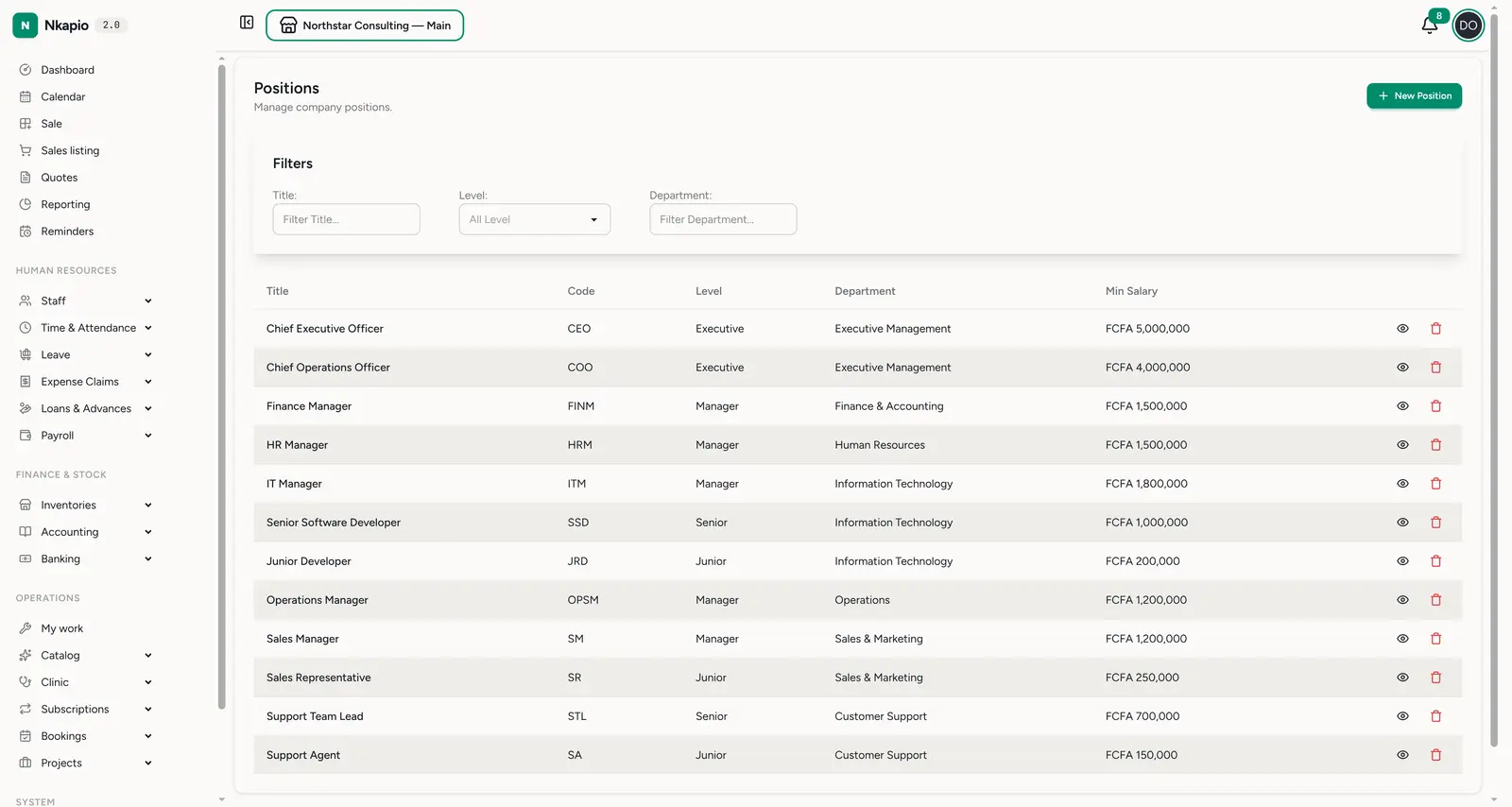
Staff → Positions (/staff/positions) manages job positions. The list shows
each position's title, code, level, department and minimum
salary; sort by title, code or minimum salary, and filter by title, level or
department.
Use New Position to add one. Each position records:
- Title and code — the job title and a short code for it.
- Level — one of Junior, Mid level, Senior, Lead, Manager, Director or Executive. This ranks the role in your hierarchy and is useful for filtering and reporting.
- Department — the team the position belongs to. Every position must sit in a department, so create your departments first.
- Minimum education and minimum experience (years) — the baseline requirements for the role.
- Description, requirements and responsibilities — free-text notes that document what the job involves.
- Minimum salary and maximum salary — the pay band for the role. The minimum must be less than or equal to the maximum; together they act as a guide for setting fair, consistent pay across everyone in the same position.
How staff pick these up
Departments and positions are references, not places where you enter people. A staff member is linked to a department and a position through their employment details (set on the staff record — see Staff management). Their actual base salary is entered there too; the position's salary band is a reference to keep those figures consistent, not a value that is copied automatically. Once assigned, the department and position appear on the staff record and let you organise and report on your team by group and by role.
Before you start
- Set up departments and positions before adding staff. Every position needs a department, and every staff record is assigned both — so define this scaffolding first and onboarding goes smoothly.
- You need HR permission. The New Department and New Position buttons only appear if your role grants the matching HR access, and they respect your plan's limits on how many departments and positions you can create.
- Codes must be unique. Two departments can't share the same code.
- Archiving keeps history intact. Deleting a department or position archives it rather than erasing it, so existing staff records that reference it stay readable. Archive roles you no longer hire for instead of trying to remove them outright.
Tips
- Give each department a head. It records who leads the team and is shown on the department's detail page.
- Lean on the salary band. The minimum and maximum salary on a position keep pay consistent and fair for everyone in the same role.
- Use the hierarchy. Nesting departments under a parent mirrors a real org chart and keeps larger companies tidy.
FAQ
Do I have to fill in a budget and cost centre? A budget is required (and must be positive) when you create a department; the cost centre code and description are optional.
What's the difference between a department head and a position level? The head is a specific person who leads a department. The level (Junior through Executive) is a rank on a position that applies to whoever holds that job title.
Can one position belong to two departments? No — each position sits in a single department. Create a separate position if the same job title exists in more than one team.