If you sell drinks in returnable bottles and crates, the deposits on that packaging are real money out in the field. The Packaging section tracks every empty: who's holding it, what it's worth, and where it's lost. Find it under Packaging (available when returnable packaging is enabled).
Before you start
A few things need to be in place before deposits and empties show up here:
- Turn on the feature. Returnable packaging is the
inventory.packagingfeature — an owner enables it in the plan settings. Until it's on, the Packaging section stays hidden. - Set up each drink's packaging. On a drink's product page, the Packaging panel links every variant to its returnable container (the bottle) and, if you sell by the crate, an outer container and how many containers per outer. Deposits only follow a drink once its packaging is configured.
- Set your deposit policy. At Settings → Returnable packaging you set the broken and wrong-brand refund percentages (good empties always refund 100%), whether wrong-brand packaging is accepted at all, and the aging buckets (30, 60, 90 days by default) that drive the customer reminders.
- Access. These reports read your invoices and stock, so anyone with invoice and stock read access can open them — there's no separate packaging permission.
Overview
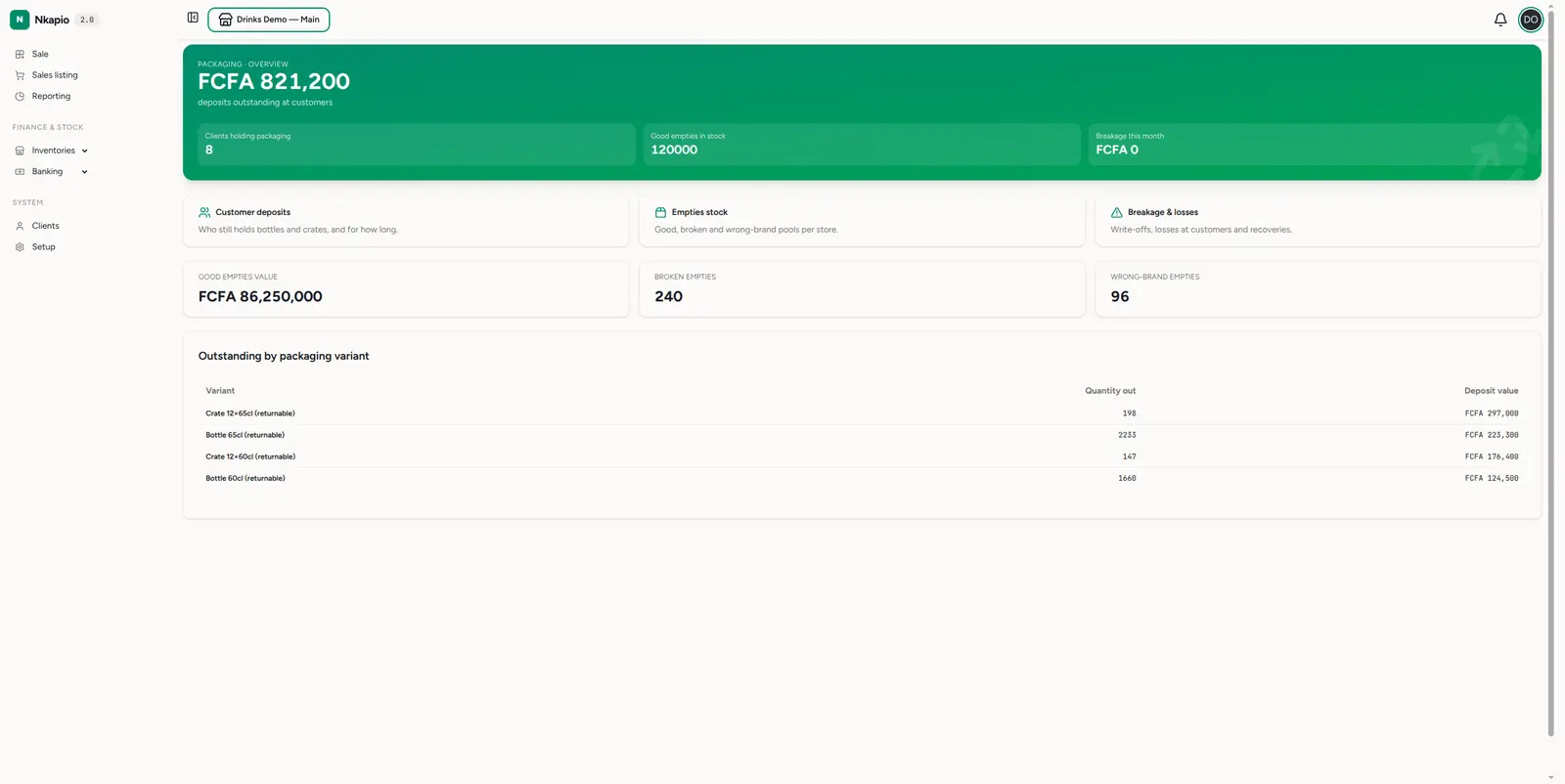
Packaging → Overview (/packaging) is the headline: deposits outstanding
at customers, plus clients holding packaging, good empties in stock and
breakage this month. Cards summarise good empties value, broken empties
and wrong-brand empties, and a table breaks outstanding deposits down by
packaging variant (crate 12×65cl, bottle 65cl, and so on).
Customer deposits
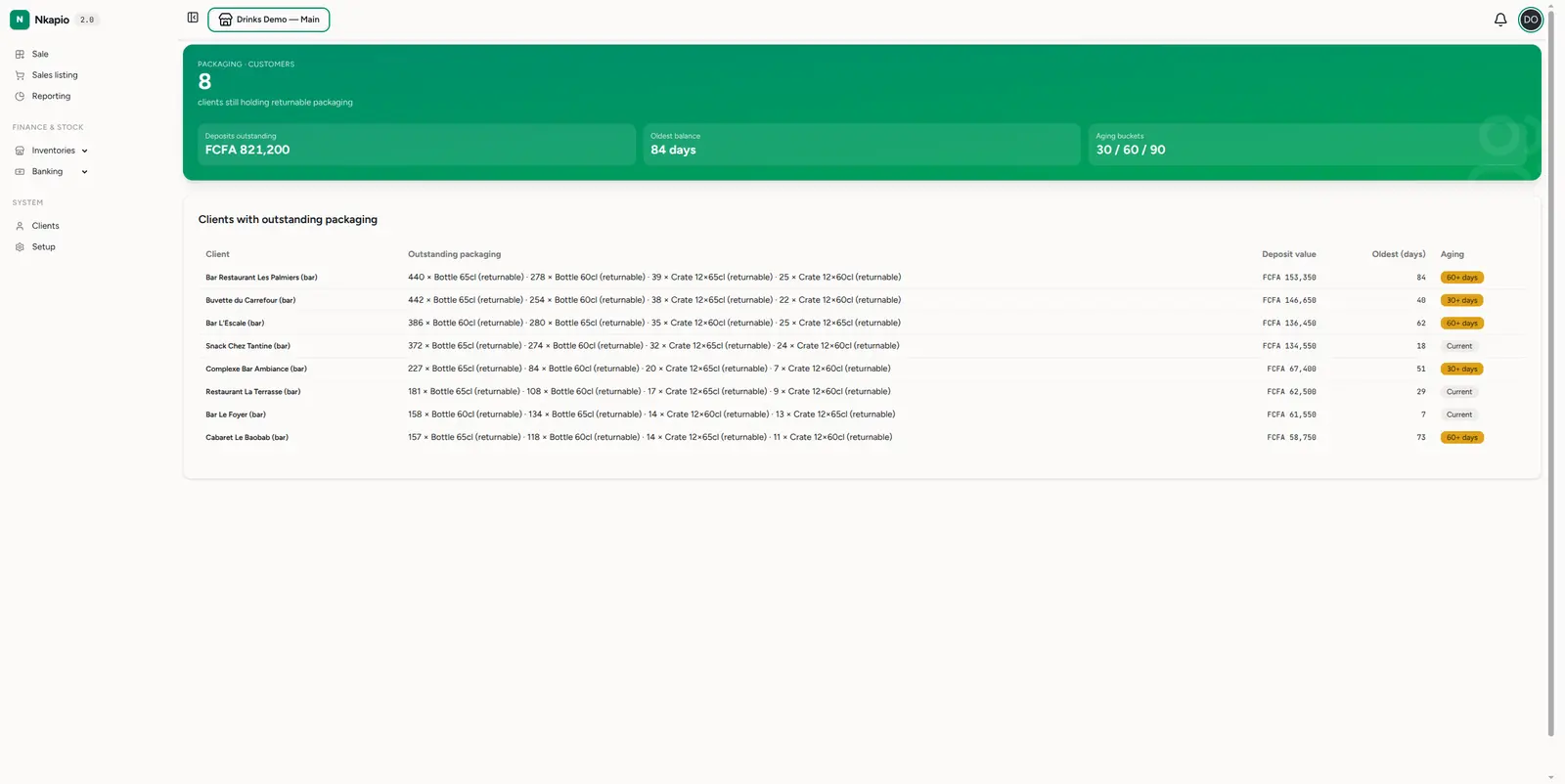
Packaging → Customer deposits (/packaging/customers) shows which clients
still hold your packaging, the deposit value each owes, the oldest balance
in days, and an aging badge (Current, or 30+/60+/90+ days against your policy
buckets). It's how you chase crates and bottles back before the deposits age out.
Empties stock
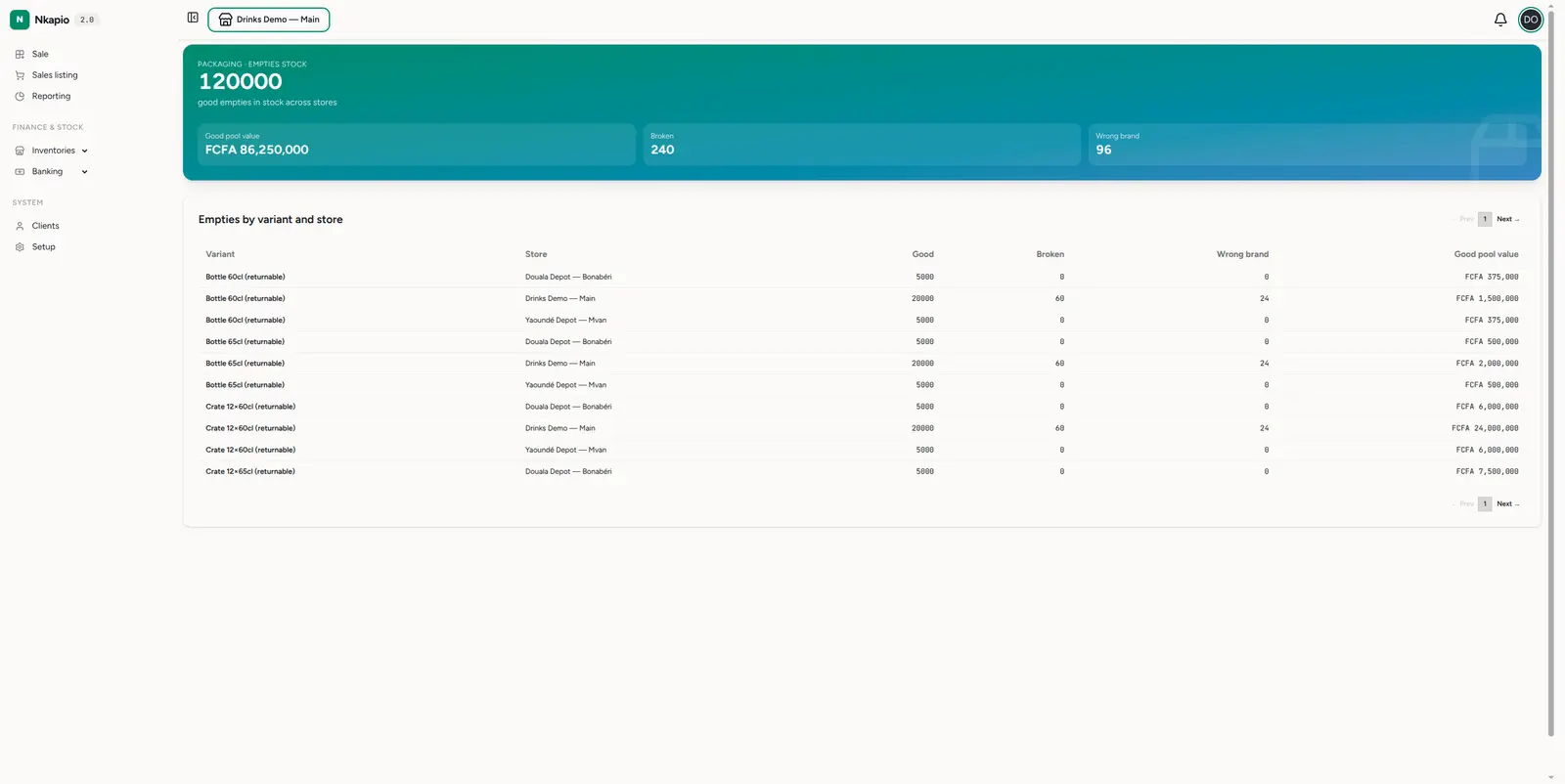
Packaging → Empties stock (/packaging/stock) counts the empties you hold
by variant and store, split into good, broken and wrong-brand
pools, with the good-pool value. Use it to reconcile what's on hand across depots.
Breakage and losses
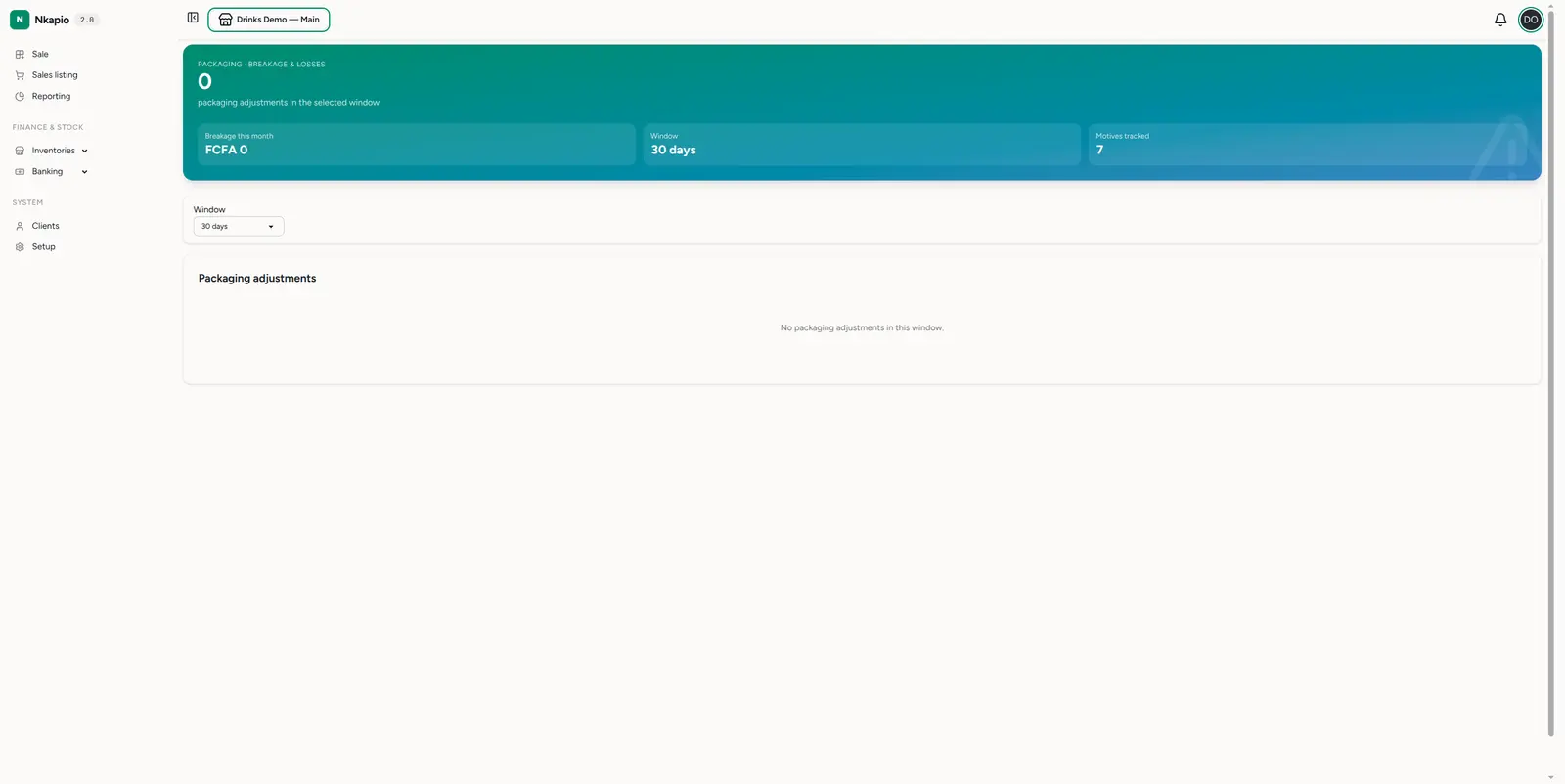
Packaging → Breakage & losses (/packaging/breakage) logs packaging
write-offs — breakage, losses at customers and recoveries — over a window you
choose, against tracked motives. An empty list means no losses in the period.
Tips
- Watch the aging buckets — a client sitting in 60+ days is unlikely to return that packaging; follow up or convert the deposit.
- Reconcile empties per depot — the by-store split catches packaging that's drifted between locations.
- Log breakage promptly — accurate write-offs keep your good-pool value honest.
- Refunds follow your policy — good empties refund the full deposit, while broken and wrong-brand returns refund only the percentage set at Settings → Returnable packaging (0% by default), and wrong-brand empties are accepted only if your policy allows them.