If you sell memberships or recurring plans, these two reports tell you how healthy that revenue is: Plan performance for the money each plan makes, and Renewal forecast for what's coming due. Open them under Reports → Subscriptions.
Before you start: these reports belong to the Subscriptions module. If you don't see Reports → Subscriptions, that module isn't switched on for your business. You also need permission to view subscription plans, otherwise the pages won't open.
Plan performance
Reports → Subscriptions → Plan performance (/reports/subscriptions/plans)
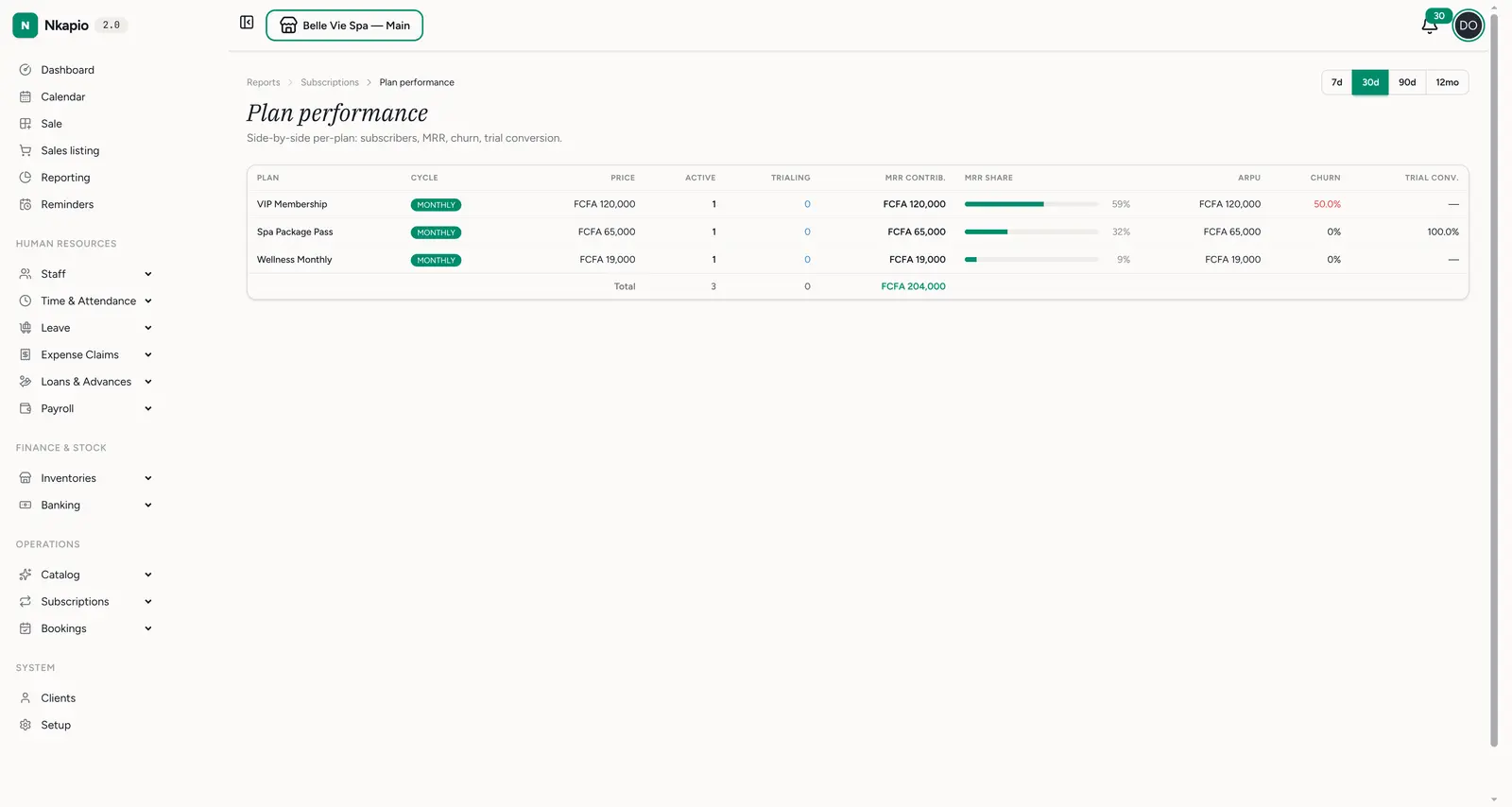
lays your plans out side by side. Each row is one plan, with its cycle and
price, then the numbers that matter:
- Active and Trialing — how many subscribers are paying versus still in a trial.
- MRR contribution and MRR share — the monthly recurring revenue each plan brings, and its slice of the total.
- ARPU — average revenue per user on that plan.
- Churn — the share of subscribers who cancelled; a red number here is where to look first.
- Trial conversion — how well trials on that plan turn into paying subscribers.
The total row at the bottom sums your active and trialing subscribers and total MRR. Use the 7d / 30d / 90d / 12mo toggle at the top right to change the window.
How MRR is worked out: each plan's price is normalized to a monthly figure so plans on different cycles line up — a yearly plan is divided by 12, quarterly by 3, biweekly multiplied by 2. A plan's MRR contribution counts both its active and its trialing subscribers, so a big trial cohort inflates MRR until those trials convert or lapse.
Renewal forecast
Reports → Subscriptions → Renewal forecast
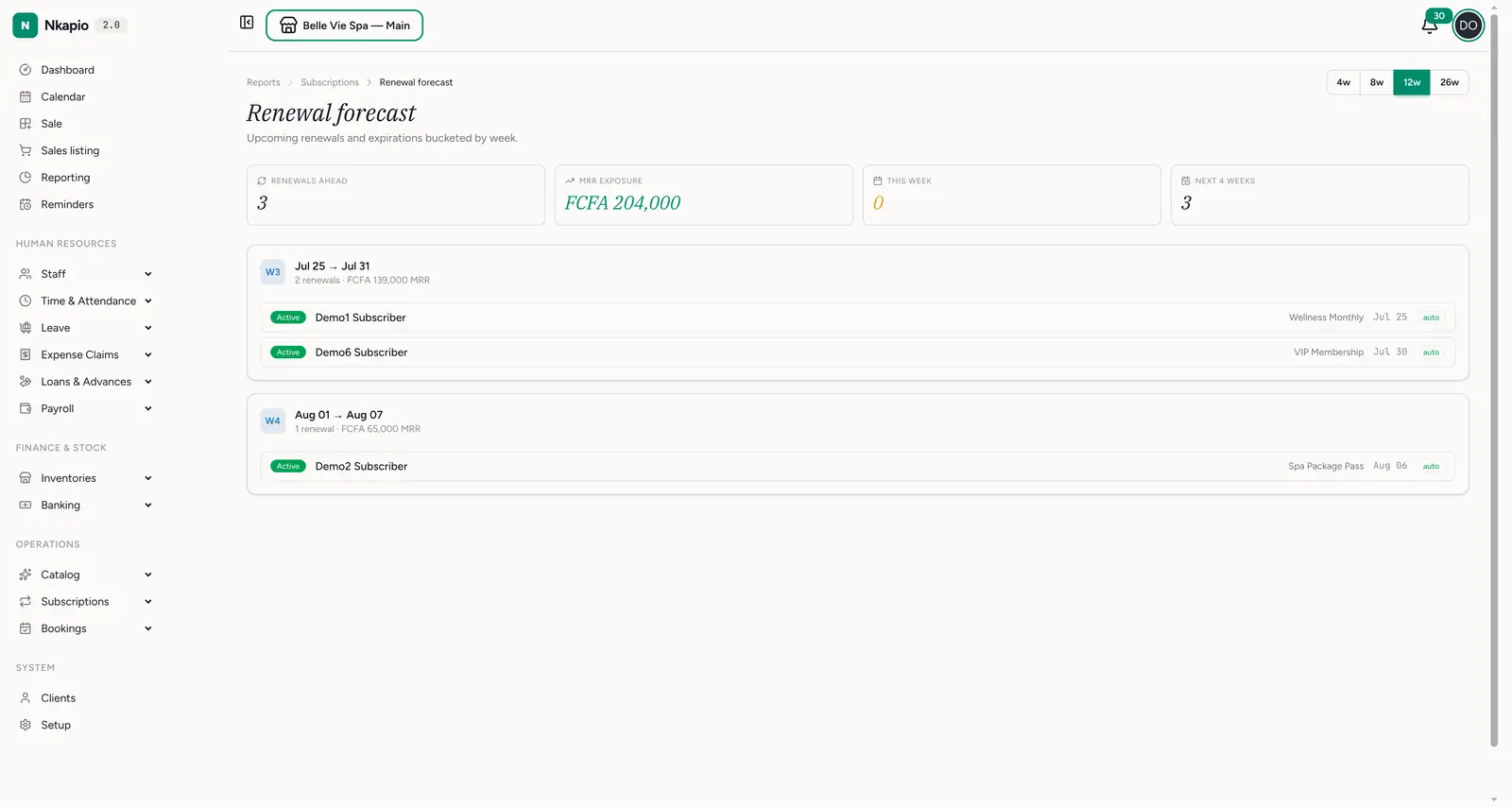
(/reports/subscriptions/renewals) shows upcoming renewals and expirations
bucketed by week. The cards up top give you renewals ahead, MRR exposure
(the recurring revenue at stake), this week and next 4 weeks. Below,
each week lists the subscribers due to renew, their plan, the renewal date and
whether it renews automatically or needs a manual touch. Use the 4w / 8w /
12w / 26w toggle to look further out.
Tips
- Watch churn per plan — one plan with high churn drags down the whole book; fix its pricing or value before it spreads.
- Chase manual renewals early — anything not marked auto needs a nudge before its date, or it lapses.
- Grow the high-ARPU plans — MRR share tells you where your revenue really comes from; steer new subscribers there.