Nkapio includes a complete double-entry accounting layer built on the SYSCOHADA chart of accounts (the OHADA plan comptable used across francophone Africa). It's an opt-in module — turn on Accounting in your plan/features and the Accounting section appears in the sidebar.
The most important thing to understand: you do not hand-post your everyday business. The ledger is a derived overlay — every invoice, payment, purchase and transfer you already record in Nkapio is posted to the ledger automatically, as a balanced pair of debit and credit entries. You use the Accounting screens mostly to read the books and to add the occasional manual entry (adjustments, opening balances, accruals) that has no operational document behind it.
First time you enable it? Ask your administrator to run the ledger backfill so your existing history is posted. Until then the screens are correct but empty. New activity posts on its own from that point.
The one rule of double-entry
Every transaction touches at least two accounts, and total debits always equal total credits. An asset going up is a debit; a liability, equity or revenue going up is a credit (and vice-versa). Nkapio enforces this on every posting, which is why the books always balance.
Worked example — a service sale of FCFA 693,750 paid in cash:
| Account | Debit | Credit |
|---|---|---|
| 411000 Customers (receivable) → then 571000 Cash on hand | 693,750 | |
| 706000 Services rendered (revenue) | 693,750 |
The sale creates revenue (credit) and, once paid, cash (debit) — two sides, equal amounts. You never typed this; recording the sale did it for you.
Chart of accounts
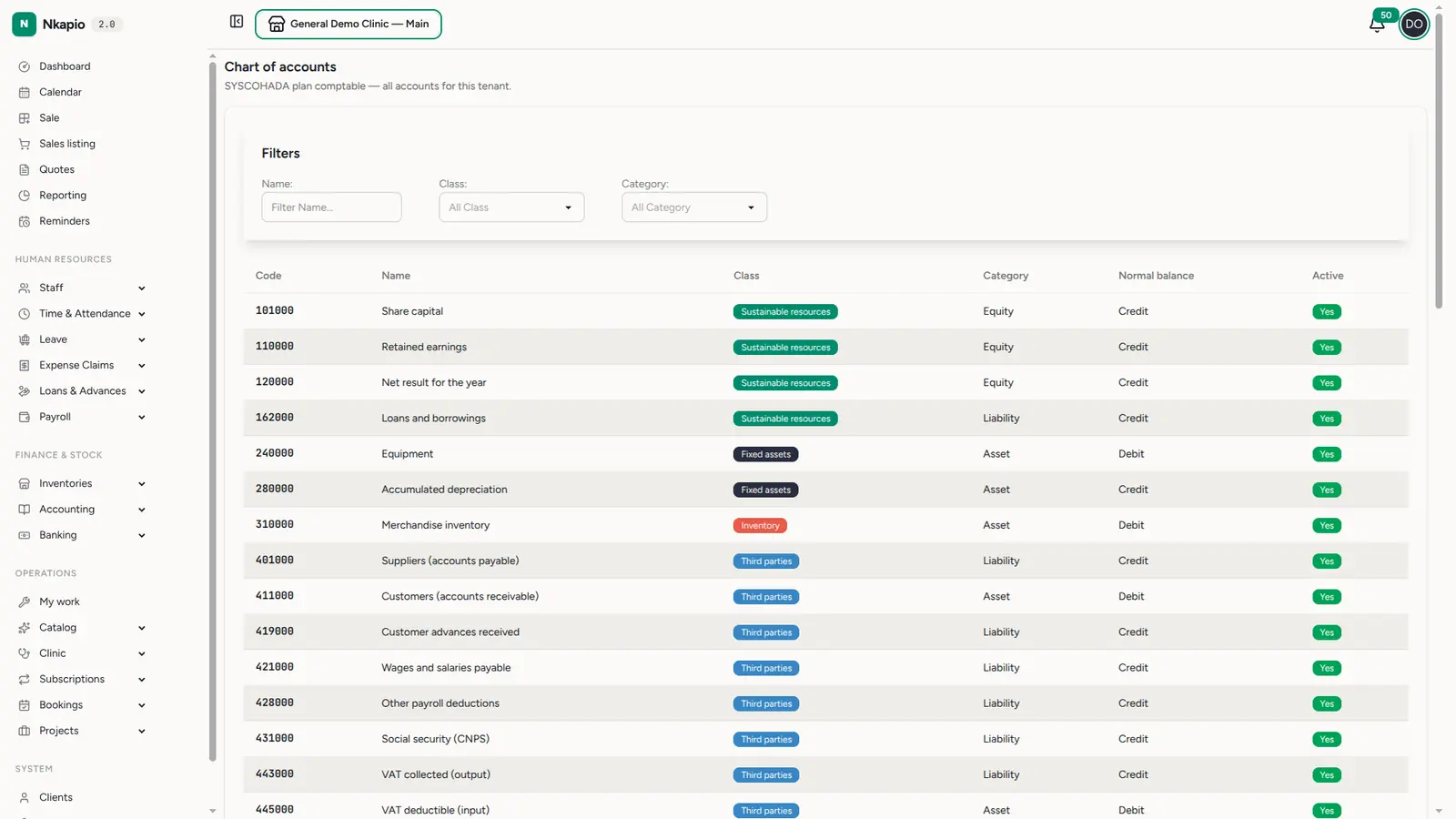
Accounting → Chart lists every account for the tenant under the SYSCOHADA
plan. Each account has a code (e.g. 571000), a class (Sustainable
resources, Fixed assets, Inventory, Third parties, Treasury, etc.), a
category (Asset / Liability / Equity / Income / Expense) and its normal
balance (debit or credit). Filter by name, class or category to find one.
Reading the code tells you the class at a glance — 4xxxxx are third parties
(customers 411, suppliers 401), 5xxxxx are financial/treasury (cash 571),
6xxxxx are expenses (purchases 601), 7xxxxx are revenue (services 706).
Journal
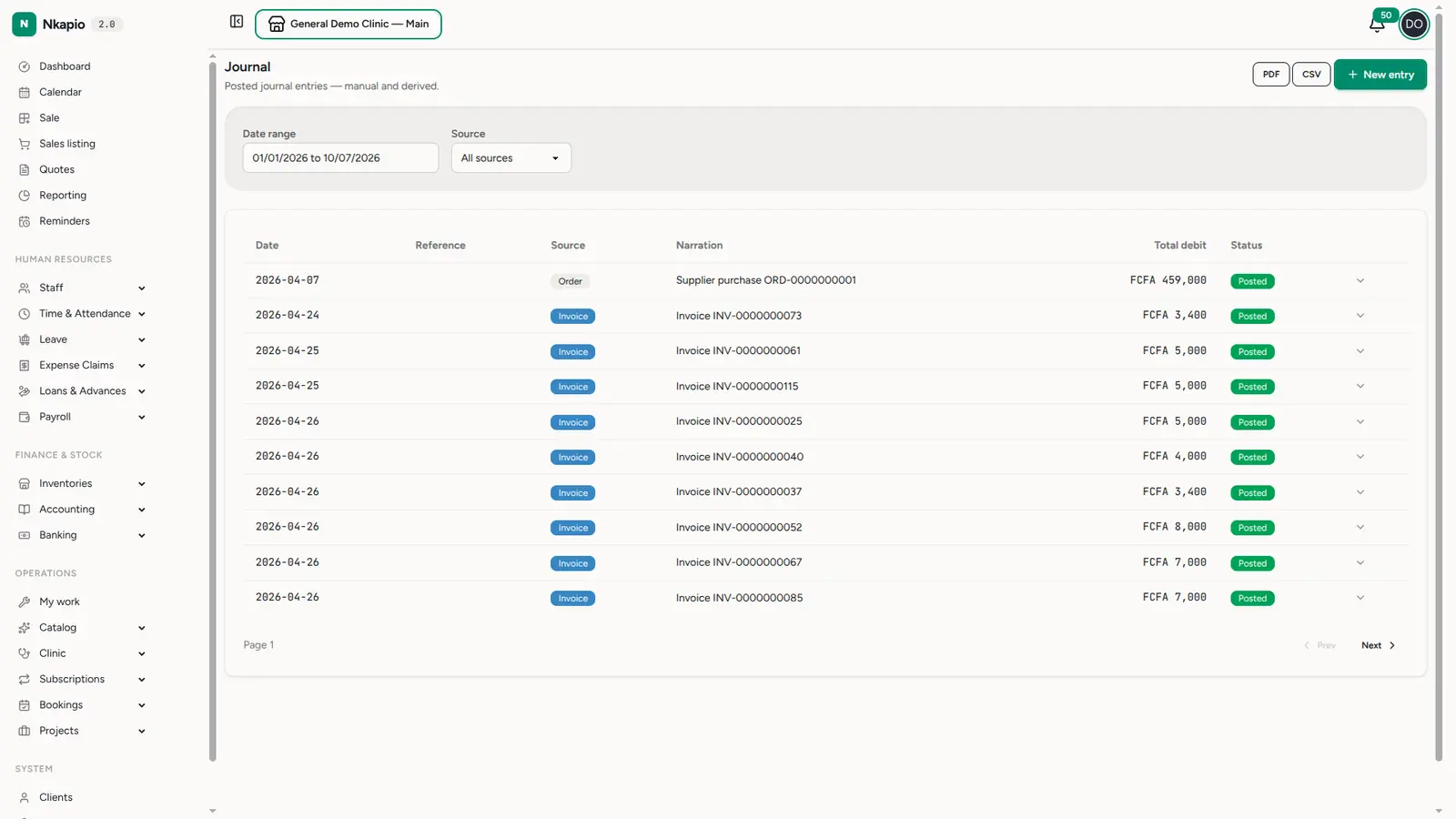
Accounting → Journal is the chronological record of every posting — the automatic ones from your operations and any manual ones you add.
Adding a manual journal entry
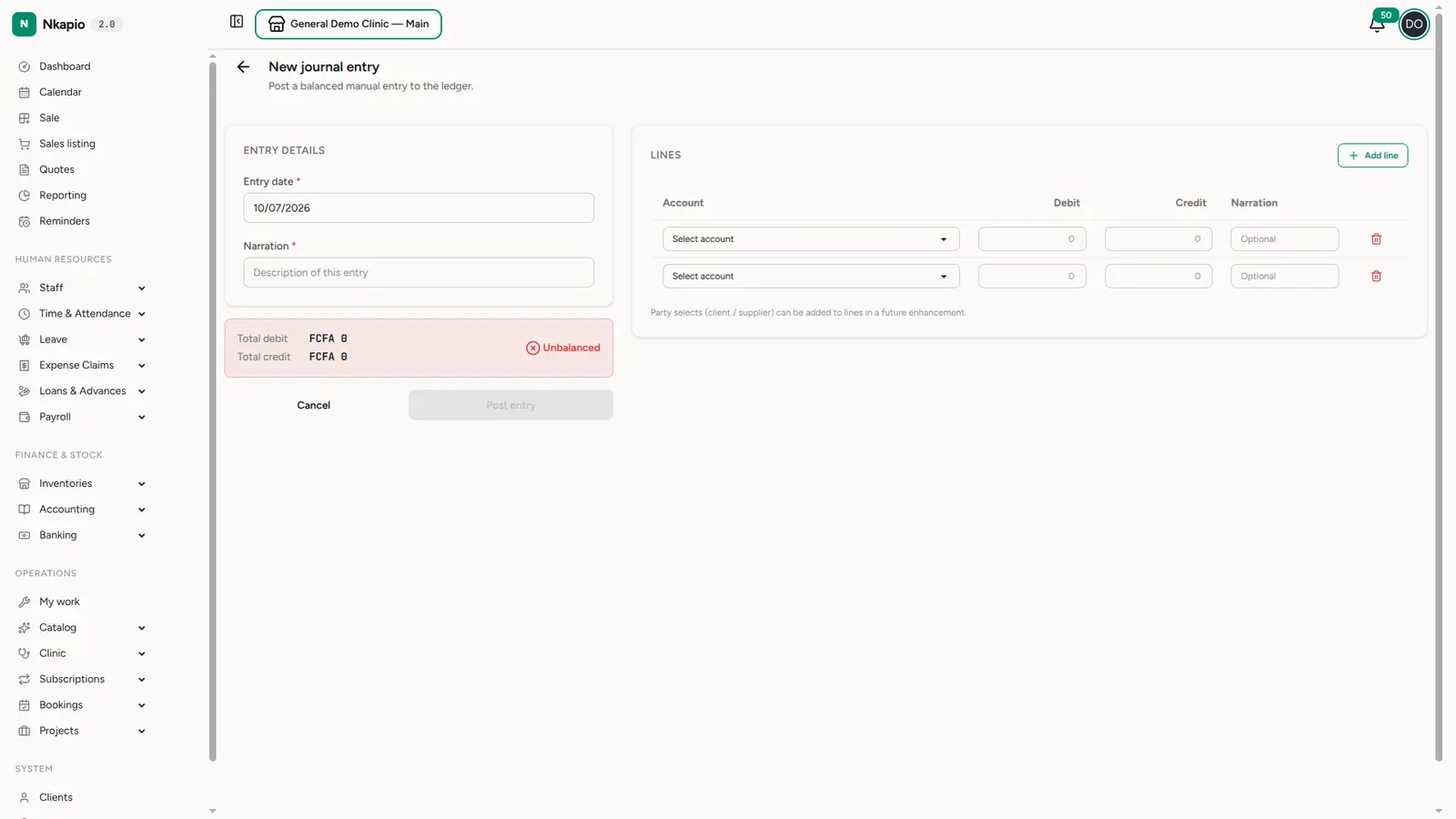
Use New entry for things that have no invoice or payment behind them — opening balances when you start, an accrual or provision, a depreciation charge, a reclassification, or a correction. Pick the accounts, enter the debit and credit lines, and Nkapio won't let you save until debits equal credits. Add a narration so the entry explains itself later.
Account ledger
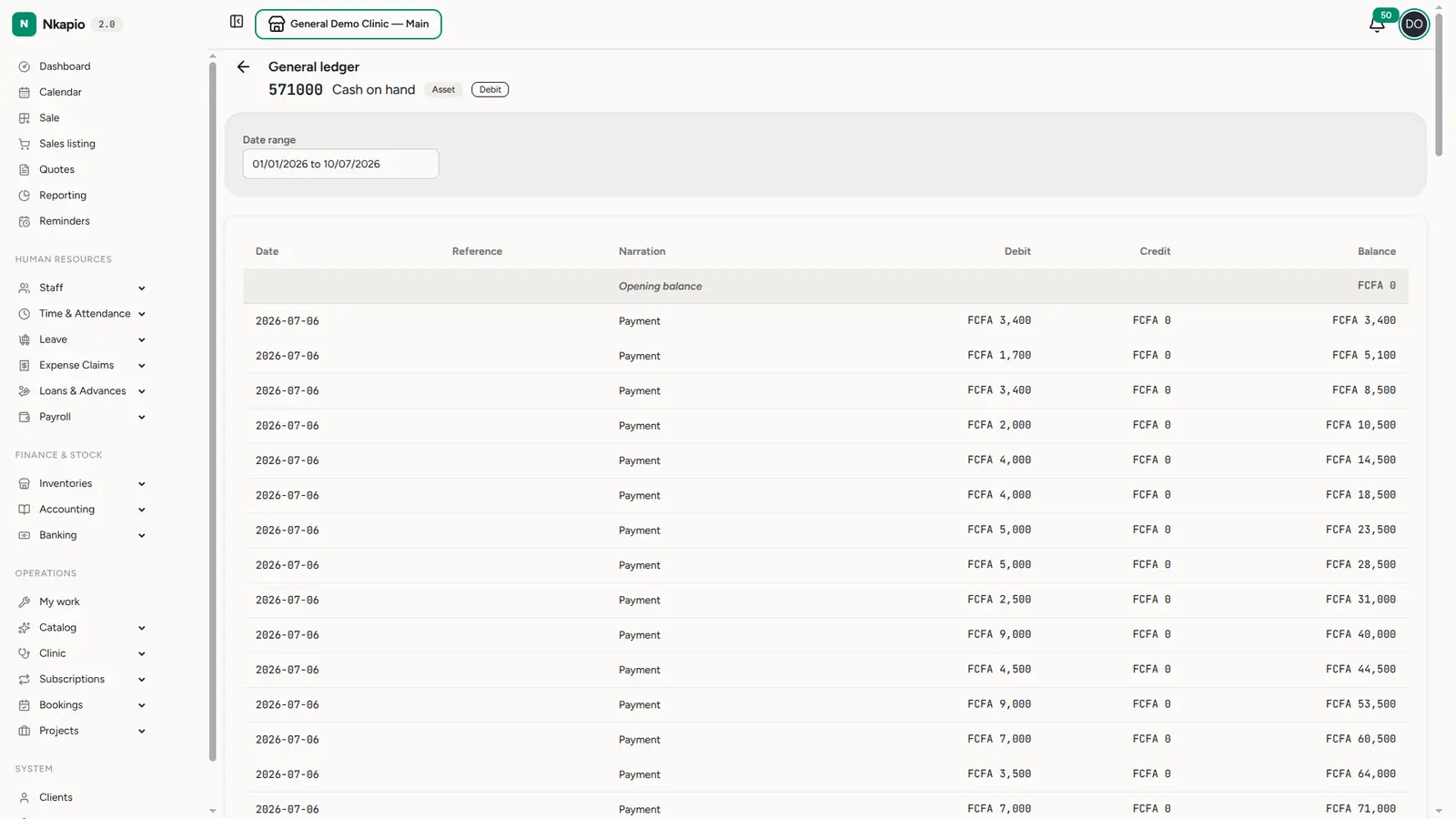
Click any account (from the chart or the trial balance) to open its ledger — every movement for that account over a date range, with a running balance. Below, the cash account opens at zero and climbs with each payment received, so you can trace exactly how a balance was built.
Trial balance
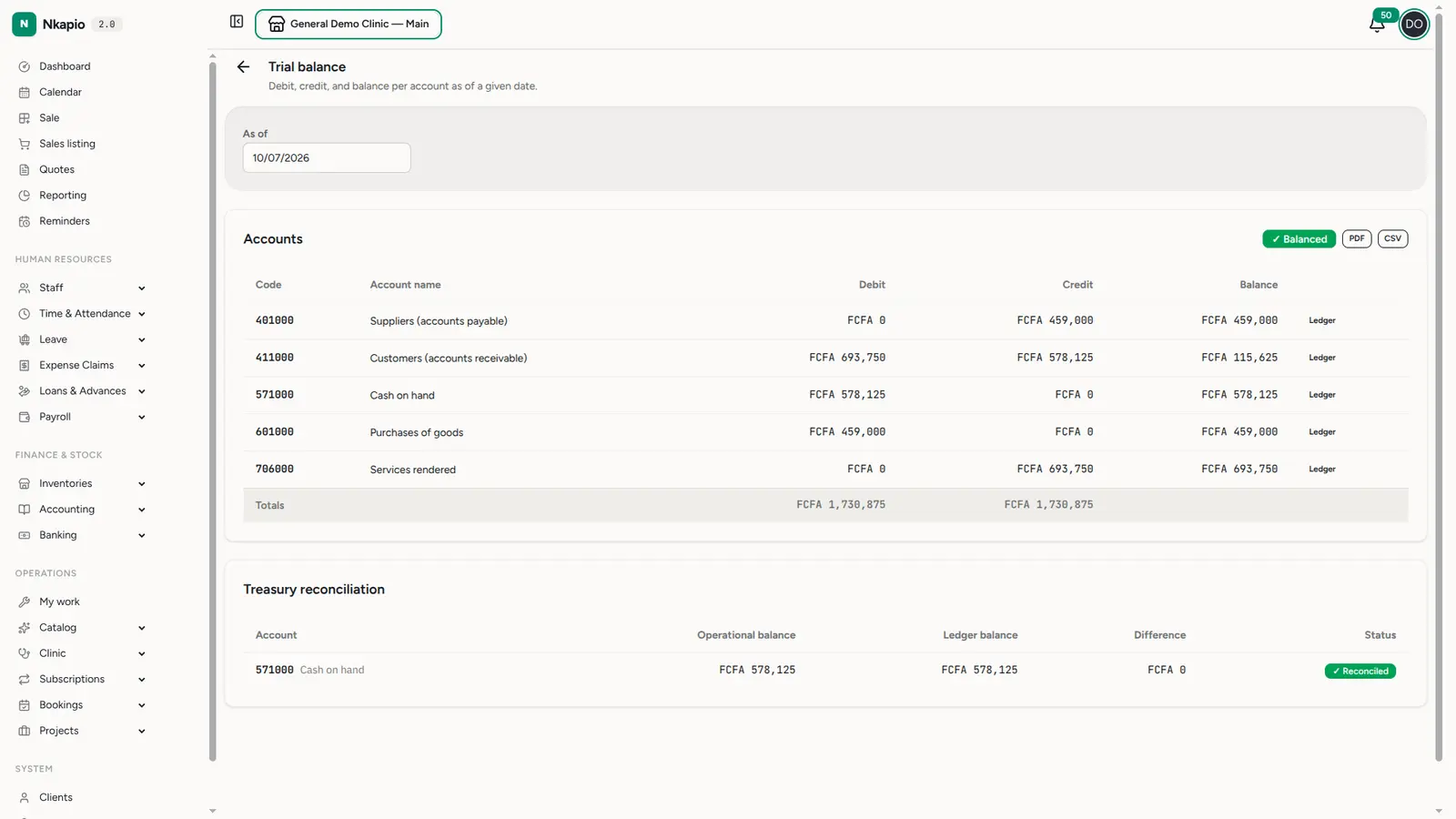
Accounting → Trial balance lists the debit total, credit total and balance of every account as of a date. The header shows a ✓ Balanced badge when total debits equal total credits — the fundamental integrity check. In the example the totals match at FCFA 1,730,875 on each side.
The Treasury reconciliation panel underneath compares each cash/bank account's operational balance (what Banking says you hold) against its ledger balance (what the postings say). A ✓ Reconciled status means the two agree; a Discrepancy flags an account to investigate. Export the whole statement to PDF or CSV for your accountant.
Balance sheet
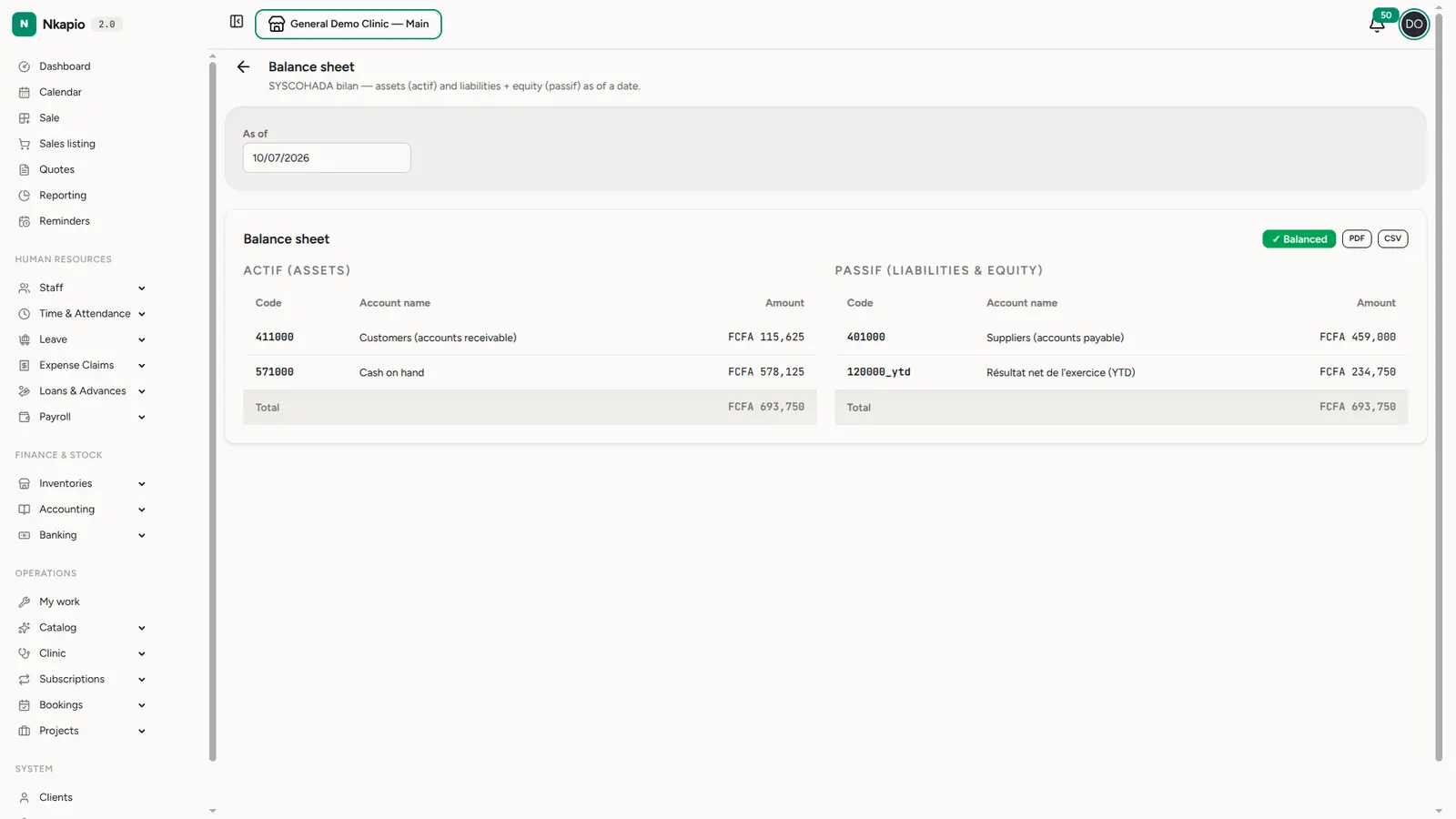
Accounting → Balance sheet is the position statement: Assets on one side, Liabilities + Equity on the other, as of a date. It always obeys the accounting equation — Assets = Liabilities + Equity — because every posting was balanced.
Income statement
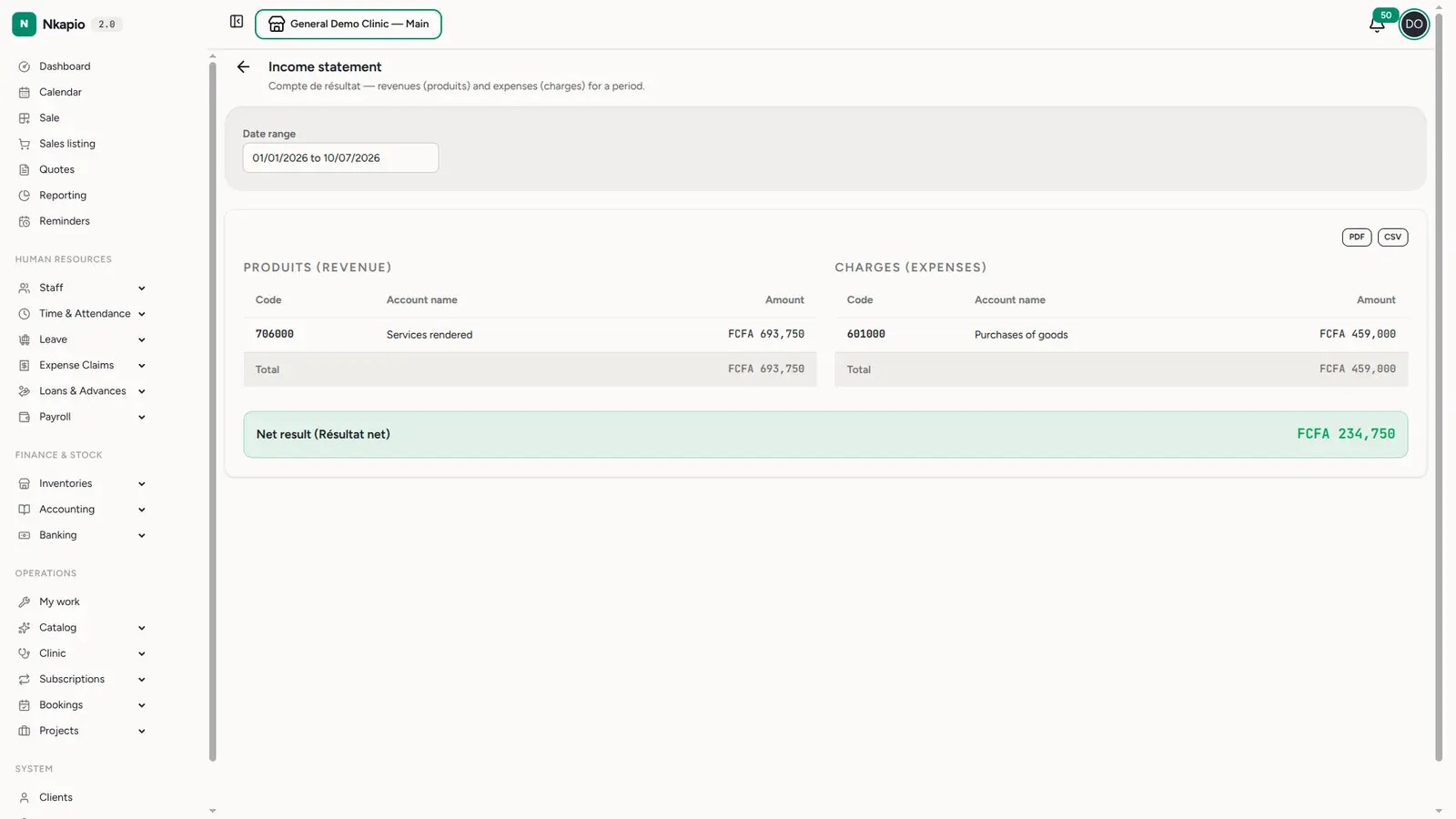
Accounting → Income statement (compte de résultat) is the performance statement for a period: Produits (revenue) minus Charges (expenses) gives the Net result. In the example, revenue of FCFA 693,750 less expenses of FCFA 459,000 yields a net result of FCFA 234,750. That net result is what flows into equity on the balance sheet, tying the two statements together.
Fiscal years & closing
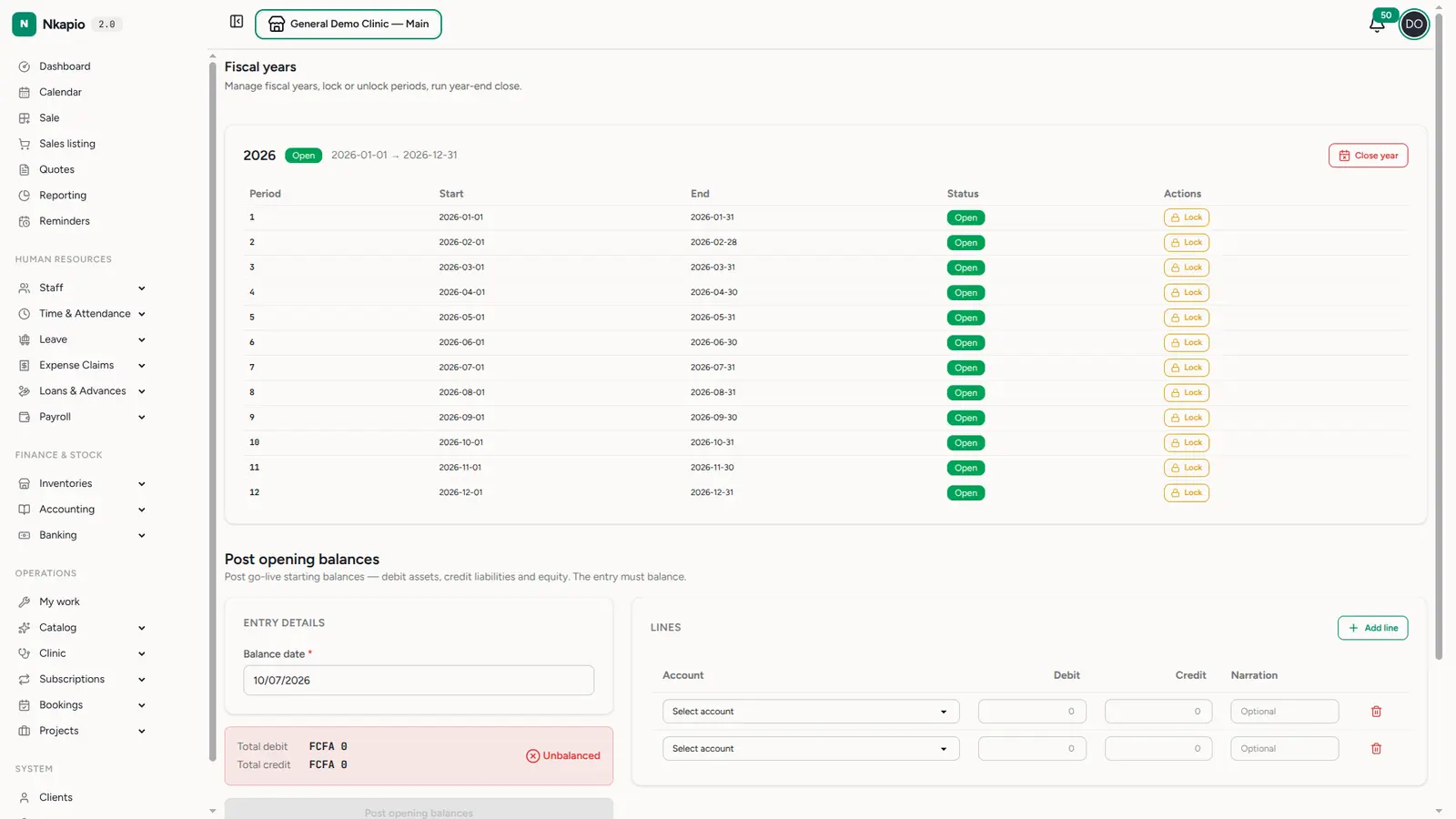
Accounting → Fiscal years manages your accounting periods. Postings land in the fiscal year that contains their date; Nkapio auto-creates a year when needed. Closing a period locks it so historical figures can't drift, while the current period stays open for new activity.
Tips & common questions
- Do I post sales myself? No. Invoices, payments, purchases and transfers post automatically. Reserve manual journal entries for adjustments and opening balances.
- My trial balance says "Discrepancy". The ledger and operational cash disagree — usually a payment recorded before the module was enabled. Re-run the backfill, or add a manual adjusting entry.
- Who can see this? Accounting is gated by the
accounting.ledgerfeature and the statement exports require the accounting-export permission — it's for finance/owner roles, not front desk. - Which standard? SYSCOHADA / OHADA. Account codes and classes follow the plan comptable, so your accountant will recognise everything.