This page only appears for clinical tenants (clinics, hospitals, dental, eye, physiotherapy and veterinary practices) that have the Diagnostics module enabled. If you don't run a clinic, you won't see it.
Setup → Clinic billing (/settings/clinic) is where you set the money rules
for clinical visits — the fees and payment conditions that Nkapio applies
automatically so your front desk and care team don't have to add them by hand on
every visit. Like the rest of Setup, it's meant for an administrator: you
configure it once, and it then works quietly in the background for everyone.
Everything on this screen is optional. A clinic that prices each visit manually can leave every field blank and both toggles off — nothing is charged or blocked until you decide to turn it on.
How your specialty shapes this page
Each Nkapio clinic has one specialty — general, dental, eye, physiotherapy or veterinary — set once for the whole workspace when it's configured. Because of that, this page adapts to your clinic: you'll normally see a single consultation fee field, the one that matches your specialty, rather than all of them at once. (For more on how the specialty tailors the clinical workspace and its charts, see Specialty charts.)
Consultation fees
Set the fee for your clinic's consultation type — general, dental, eye or physiotherapy. When a clinical visit of that type starts, the fee is added to the visit automatically, so it never depends on someone remembering to bill it. Leave the field blank (or at 0) if you'd rather not charge an automatic consultation fee — for example, if consultations are bundled into another service or billed case by case.
Inpatient
Set the nursing daily fee — a daily charge that accrues for admitted (inpatient) patients for the length of their stay. Each day a patient remains admitted, the fee is added, so a longer stay bills proportionally without manual tracking. Leave it blank if you don't admit patients or handle nursing charges another way.
Pre-payment rules
Two toggles let you require the patient to settle before care proceeds:
- Require payment before running tests — lab and diagnostic tests wait until the outstanding balance is paid.
- Require payment before dispensing medication — the pharmacy step is held until payment is made.
Turn these on where you operate on a pay-first basis. They're a strong lever for cash-flow control, but they do add a checkpoint to the workflow, so enable them only where your process genuinely expects payment up front. Left off, tests and dispensing proceed as usual and are billed as part of the visit.
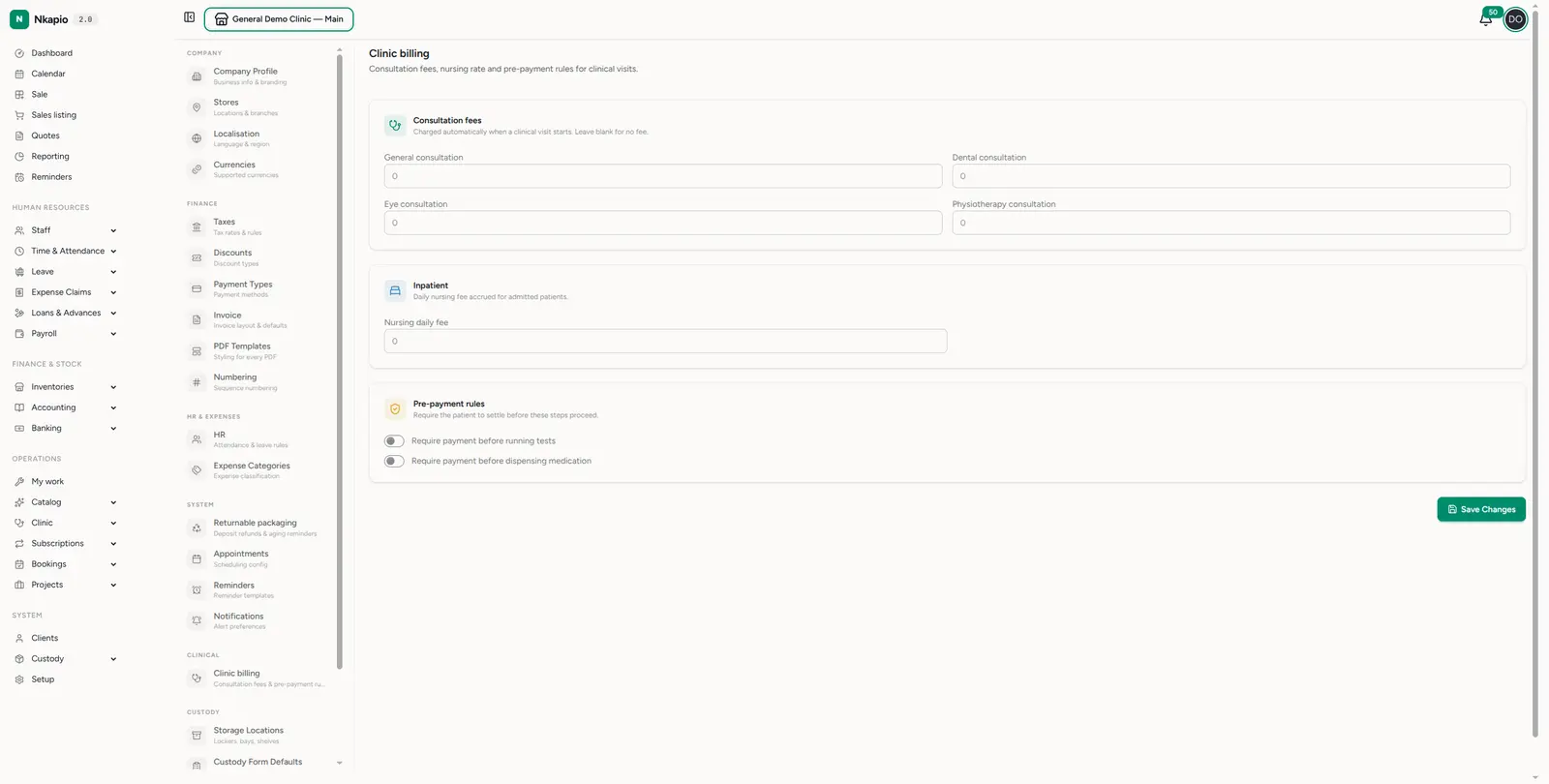
Enter amounts as plain numbers in your workspace's base currency, then choose Save Changes. New rules apply to visits going forward; they don't re-price visits that are already open.
Tips
- Configure once, price consistently — setting fees here means every visit is priced the same way without manual entry, and your reports stay clean.
- Use pre-payment rules deliberately — they protect cash-flow but add friction; switch them on only where your workflow expects payment before care.
- Blank means "no automatic charge" — an empty fee field isn't an error, it simply tells Nkapio to skip that automatic charge.
Common questions
- I can't find where to change my clinic's specialty here. The specialty isn't set on this billing screen — it's a workspace-level property configured once by an administrator. This page only reflects it. See Specialty charts.
- Why do I only see one consultation fee? Because your clinic has a single specialty, only the matching consultation fee is relevant, so that's the field shown.