If you run project-based work, these reports turn your projects into numbers you can act on — what each project cost, what it billed, and the margin left over. Find them under Reporting → Projects. They appear only when the Projects module is switched on for your workspace, and you need the View reports permission to open them.
Project profitability
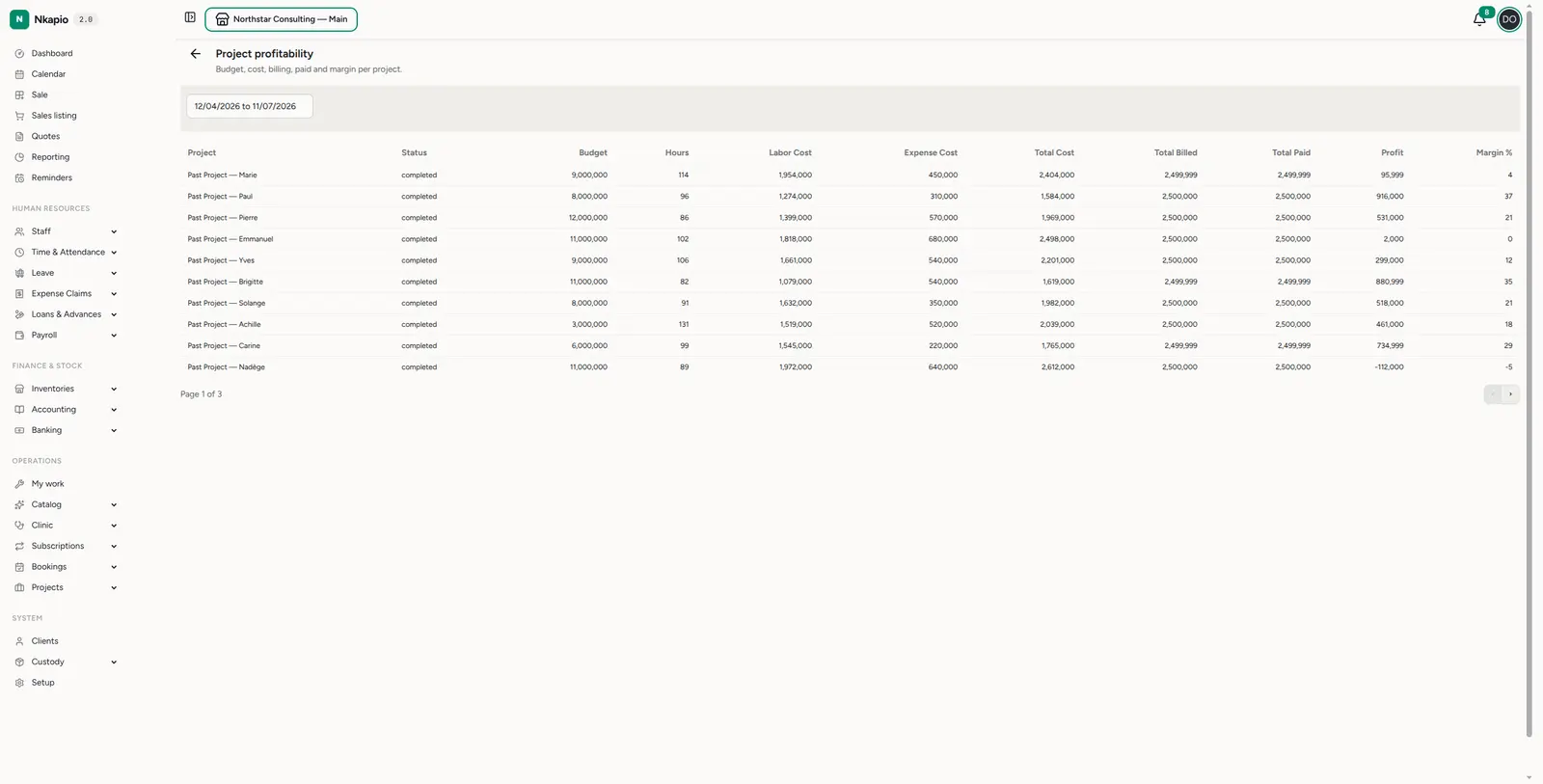
Reports → Projects → Profitability (/reports/projects/profitability) is the
headline report. Each project shows its status, budget, hours,
labour cost, expense cost, total cost, total billed, total
paid, profit and margin %. A negative margin jumps out immediately — a
project that cost more than it billed. Set the date range at the top to scope the
period.
Billing milestones
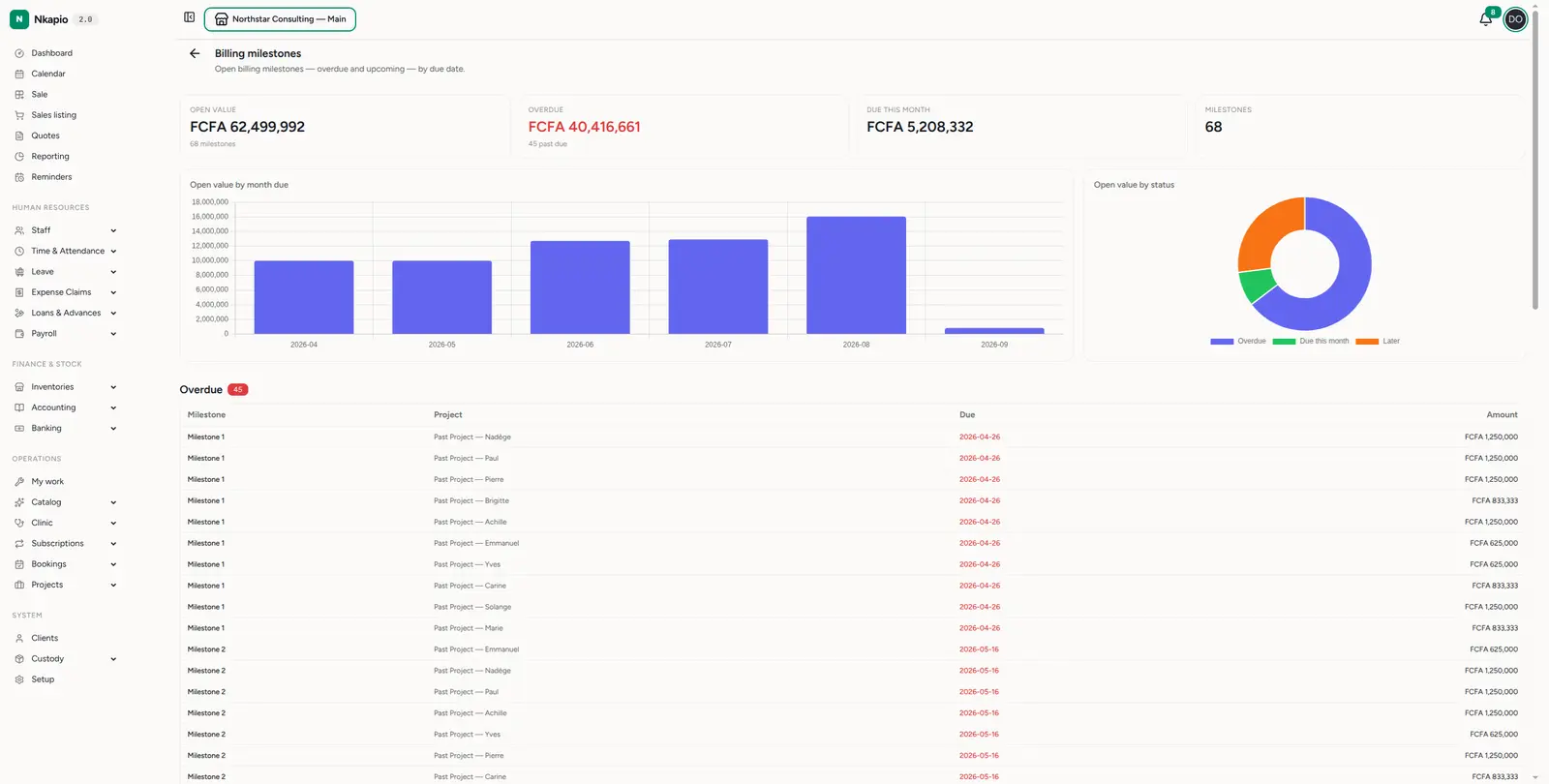
Reports → Projects → Billing milestones (/reports/projects/milestones)
tracks the money tied to project milestones. Summary cards up top show the total
open value, how much is overdue (and how many milestones are past due),
the value due this month, and the milestone count. Two charts follow — a bar
chart of open value by month due (your billing pipeline over time) and a
donut of open value by status (overdue vs due-this-month vs later). Below, the
milestones are grouped by timing — Overdue (in red), Due this month, and
Later — each with its project, due date and amount. Overdue milestones are
billing you should already have raised, so they sit at the top where you can't
miss them.
Other project reports
The Projects report section also includes project status (a breakdown of your projects by status), outstanding invoices (what clients still owe), top clients (by revenue), and revenue trend (income over time). Use them together to see both the health of individual projects and your project business as a whole.
Tips
- Watch margin, not just profit — a big project with a thin margin can be riskier than a small one with a healthy margin.
- Investigate negatives — a negative-margin project usually means scope creep or unbilled hours; catch it early.
- Clear overdue milestones first — anything in the red Overdue group is unbilled work already past due; raise those invoices before chasing new ones.